Visitors give up and email you
When the answer someone needs is question 38, anyone who stops scrolling before then lands in your inbox with a question you already answered.

FAQ software
Once an FAQ page grows past a screen or two, visitors stop scrolling and email you. HelpSite turns the FAQ you already have into a searchable help center with categories, AI answers that link their source, and a report of what people couldn't find.
No credit card to start



The problem
An FAQ page is quick to publish. Keeping it useful at forty questions is harder.
When the answer someone needs is question 38, anyone who stops scrolling before then lands in your inbox with a question you already answered.
A customer who searches for “cancel” won't find the answer you titled “Ending your subscription.”
A static page records nothing about what visitors looked for. You find out about the gap when the email arrives.
Refund exceptions and escalation rules can't go on a public page, so they end up in a shared doc or a Slack thread nobody can find later.
Search and categories
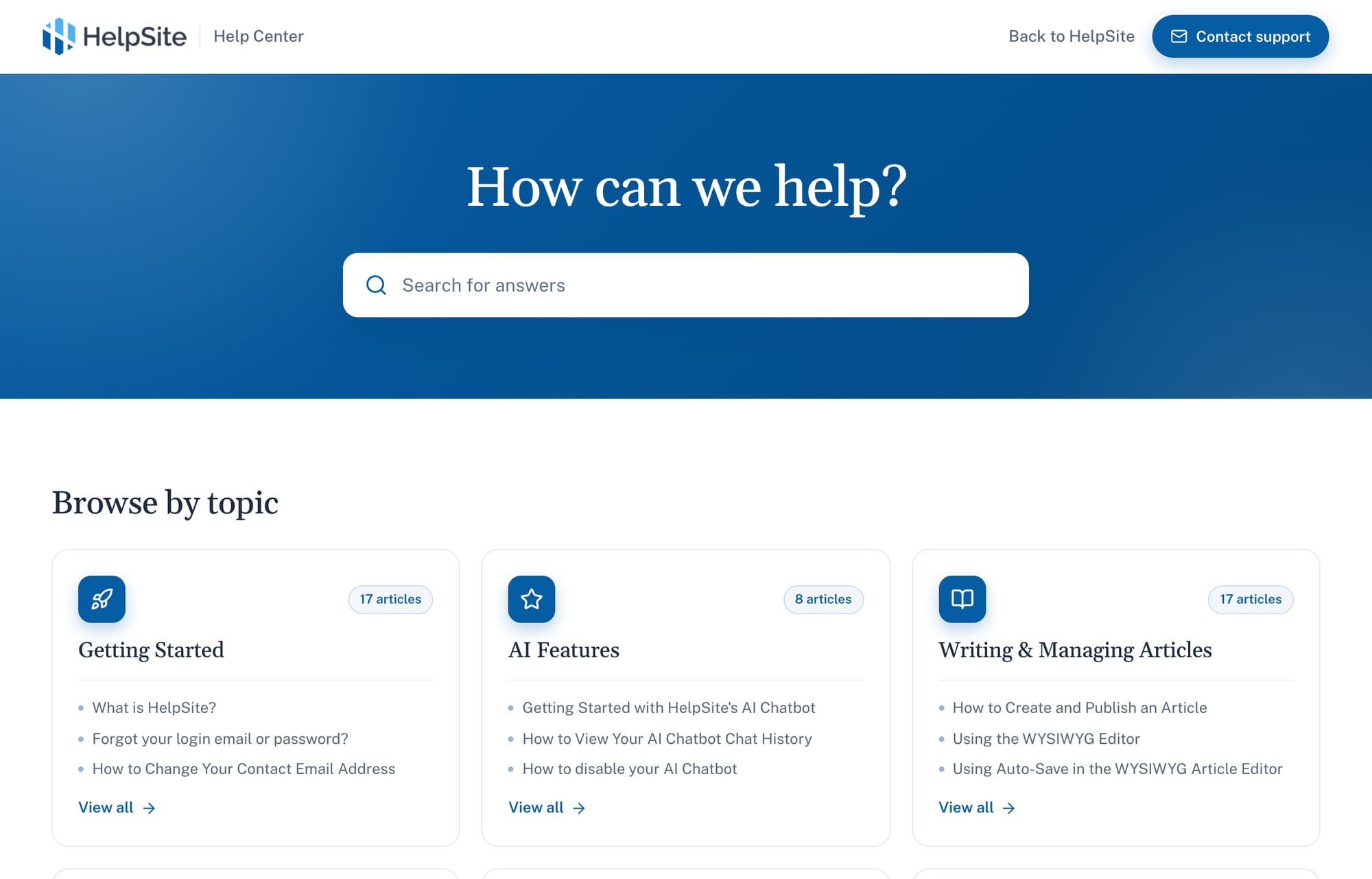
Each question gets its own article, grouped into categories. Visitors type into the search bar and matching articles appear as they type.
Results update with each keystroke, ranked by title, content, and structure, and partial or fuzzy queries still get suggestions.
Group answers by topic, like Billing or Getting started, for visitors who would rather browse than search.
When a one-line reply won't do, the article can hold numbered steps and screenshots.
As someone types a message in your contact form, HelpSite suggests matching articles before they send it.
AI answers
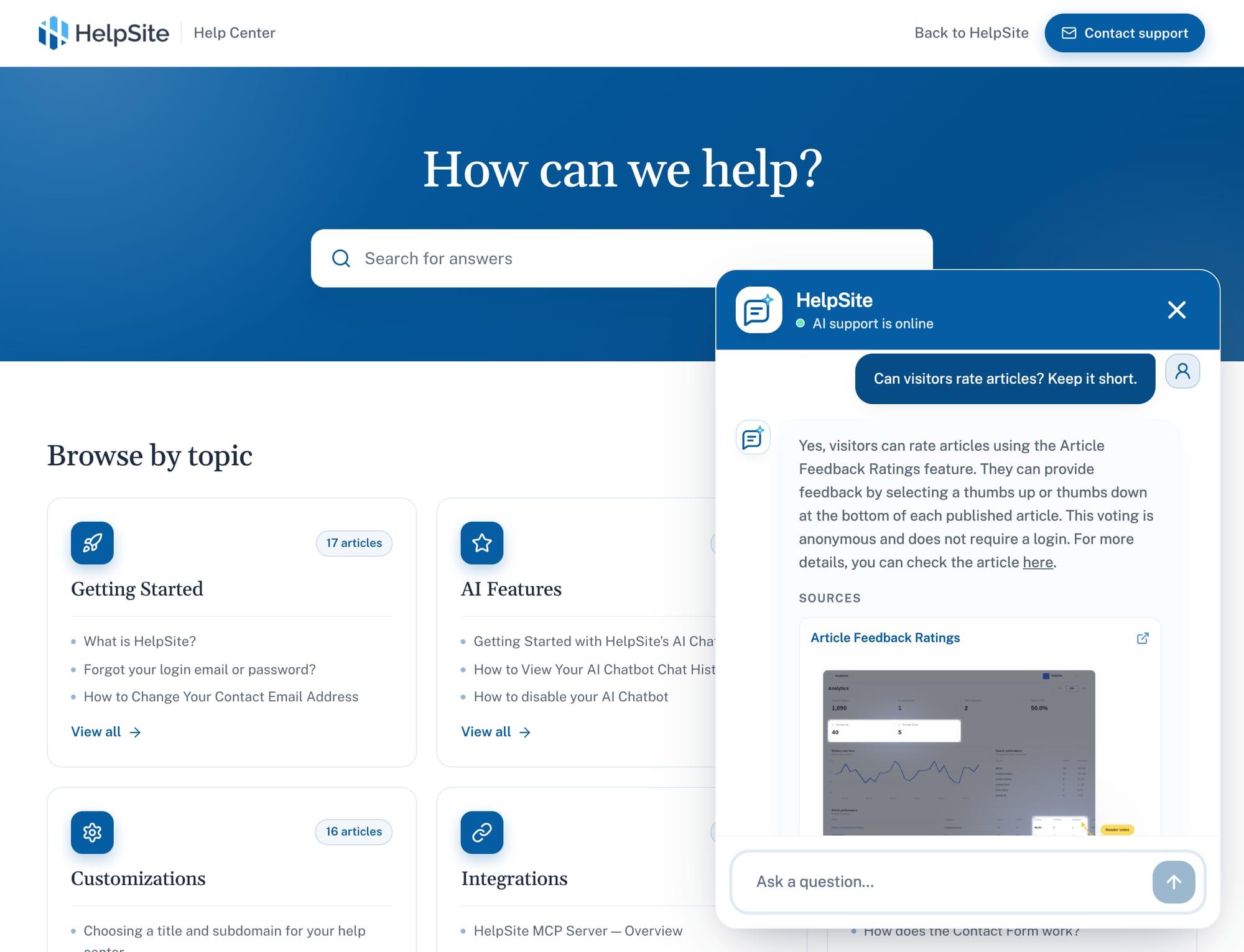
Yes. HelpSite's AI chatbot answers visitor questions from your published articles and can link the article it used, so people can check the answer for themselves.
Answers come from your HelpSite articles instead of a model's general memory of products like yours.
An answer can link the article behind it, so a visitor can read the full version.
Read what visitors asked, trace a weak answer back to its article, and fix the article.
Questions that need judgment, a policy call, or account access still go to your team.
Search analytics
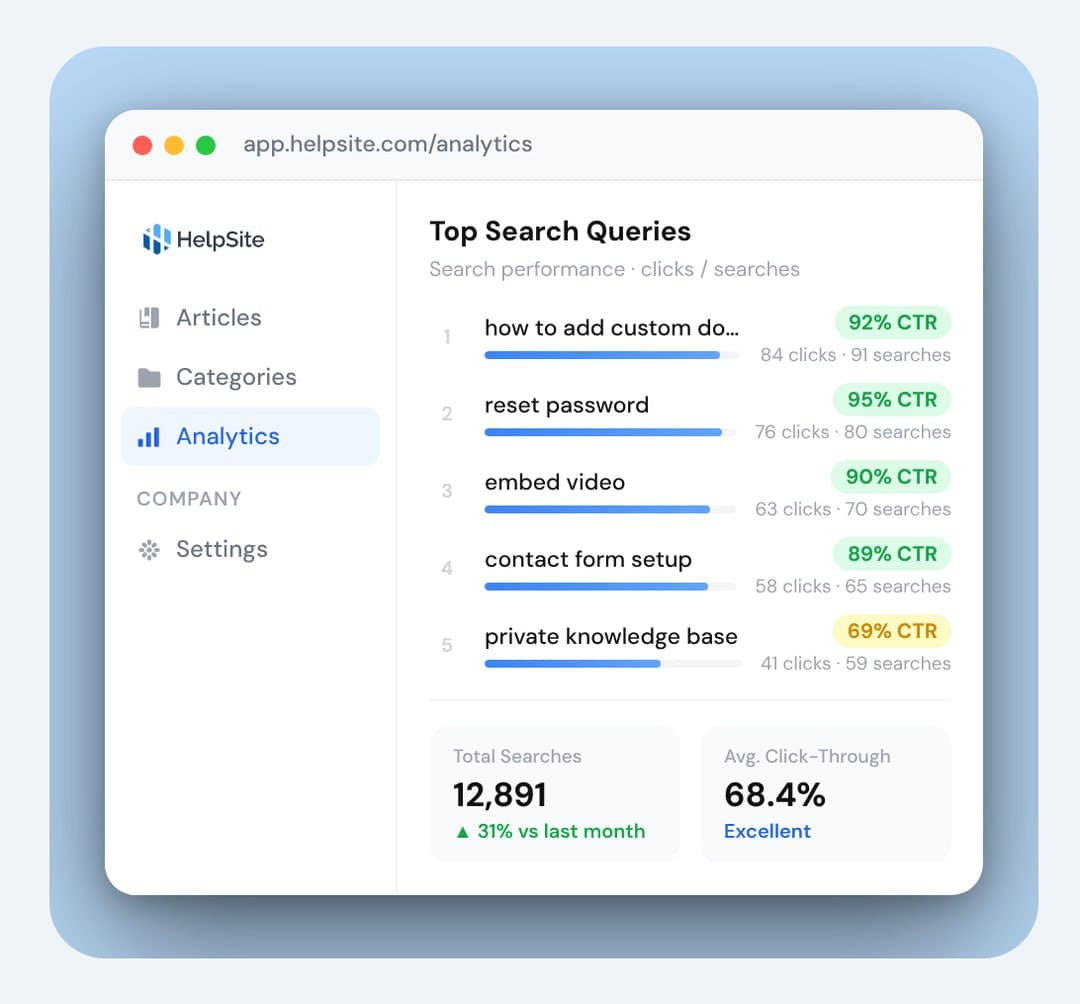
HelpSite records what visitors type into search and which searches lead to an article. The ones that come up empty are your list of FAQs to write next.
See the questions people ask most, in their own words, so your article titles can use the same words.
Spot searches that return little or nothing. Each one points to an answer you haven't written yet.
When the chatbot struggles, chat history tells you which article to write or expand.
Sort articles by views or by when they were last edited to find answers that may be out of date.
Branding and access
Your FAQ can look like part of your site, and team-only answers stay with your team.
Host your FAQ at an address like help.yourcompany.com, or start on a HelpSite subdomain.
HelpSite can pull your logo and brand color from your website. Adjust colors and fonts without code, or edit the HTML and CSS.
Set access for each site, so the customer FAQ is public and the internal FAQ is visible to your team only.
Paste your site's URL to preview a help center in your logo and colors, with suggested article titles. The preview needs no sign-up. Start a trial when you want the articles drafted.
Get started
Start from the FAQ you already have. No developer, and no copying answers over one at a time.
Use the page's URL, upload PDFs and docs, connect Google Drive, or paste the text. No FAQ yet? Start from a short description of your business.
HelpSite proposes categories and article titles. Edit the plan, then judge the writing on 3 free sample drafts before generating the rest.
Every generated article starts as a draft you approve. Add your logo, colors, and domain, then publish.
The AI KB Generator reads your existing FAQ and other sources, proposes categories and article titles, and writes drafts you review one by one.
Public and internal
When you need more than one FAQ, HelpSite keeps them in one account, each with its own address, design, and access setting.
Our guide compares the two side by side and lists the signs an FAQ page has outgrown itself.
What teams ask before moving their FAQ to HelpSite.
FAQ software is a tool for publishing and maintaining answers to common questions. Compared with a single FAQ page, it gives each answer its own searchable article, groups answers into categories, and shows what visitors searched for. HelpSite adds an AI chatbot that answers from those articles and links the source.
An FAQ page is one page of short questions and answers. A knowledge base is a set of separate articles, grouped into categories and searchable, with room for step-by-step detail. Many teams keep a short FAQ on their pricing page and move product support into a knowledge base.
Yes. Point the AI KB Generator at your FAQ page's URL, upload a document, or paste the text. It proposes categories and article titles, shows 3 sample drafts, and creates each article as a draft you approve. You can also bring in existing articles directly instead of rewriting them.
Yes. Your FAQ runs as its own help center at an address like help.yourcompany.com, which you link from your site's menu, footer, or contact page. HelpSite can pull your logo and brand color from your website so the two match, and no developer is needed.
Yes. HelpSite's AI chatbot answers visitor questions from your published articles and can link the article it used. Chat history shows what people asked, so you can fix weak answers in the article itself. HelpSite has no live chat with human agents; questions that need a person go to your team.
Yes. You can set each site to public, private, or invite-only. Many teams run a public FAQ for customers and a private one for staff, covering refund exceptions, escalation steps, and internal SOPs, all from the same HelpSite account.
Start a free 14-day trial, bring in your current FAQ, and publish when the drafts look right. No credit card required.
Start your 14-day free trialNo credit card to start · No per-seat pricing