AI guesses without context
Generic AI can sound helpful while pulling from memory, stale snippets, or whatever someone pasted into the chat.

MCP Server
AI tools are only useful when they can reach current, approved answers. HelpSite MCP Server gives MCP-compatible clients a structured way to search, read, draft, and update your HelpSite knowledge base.



Why it matters
If your docs are scattered, stale, or hard to read, every AI tool connected to them inherits the mess.
Generic AI can sound helpful while pulling from memory, stale snippets, or whatever someone pasted into the chat.
MCP gives AI clients a standard way to ask HelpSite for articles, categories, and approved knowledge base content.
Your team can draft, inspect, and prepare updates faster while still reviewing important changes before publishing.
Public help centers and private SOPs can become useful to customers, teammates, and AI tools from the same HelpSite account.
AI-ready documentation
HelpSite MCP Server turns your knowledge base into a source AI tools can query directly, instead of relying on one-off exports or copied article text.
Ask for articles about billing, onboarding, setup, or any topic already covered in your help center.
Create a first draft using your current docs as context, then edit and publish when ready.
Find outdated wording, overlapping articles, missing categories, and content gaps without clicking through every page.
Prompts
These are the kinds of documentation tasks that become faster when your AI client can work with HelpSite through MCP.
Find all articles that mention billing or invoices and list them with titles, categories, and links.
Use our HelpSite articles to answer this customer question and include the source article I should verify.
Draft a troubleshooting guide for login issues using the structure and tone of our existing setup articles.
Find articles that still mention our old plan names and prepare a review list for each suggested update.
Find articles that seem related but are stored in different categories, then suggest a cleaner grouping.
List common searches that do not have a strong matching article and suggest the next five articles to write.
Find internal onboarding docs that mention access requests and summarize the approved process for a new hire.
Find articles affected by the latest feature rename and flag references that need a human review.
Access and control
HelpSite provides the connection layer and knowledge base tools. Your team decides what to ask, what to change, and what to publish.
Start with clean articles, clear categories, and source-backed answers your AI tools can safely use.
Common questions about connecting HelpSite to MCP-compatible AI tools.
HelpSite MCP Server connects your HelpSite knowledge base to MCP-compatible AI clients. The client can search, read, draft, update, and organize HelpSite content through structured tools, so AI work stays tied to approved articles instead of stale exports or copied snippets.
HelpSite MCP Server is designed for MCP-compatible clients. Claude Desktop and Claude Code are common examples today, and more tools are adopting MCP. The value is that your knowledge base gets one structured connection point instead of separate exports for every AI workflow.
Yes. HelpSite can support both public and private documentation workflows through MCP. Access should follow the scope you configure, so internal SOPs remain available only where your team has authorized that connection and public articles can be used separately.
No. MCP helps your team work with HelpSite content from an AI client, but HelpSite remains the place where approved articles, categories, visibility, and publishing live. Humans still review important content changes before they affect customers or teammates.
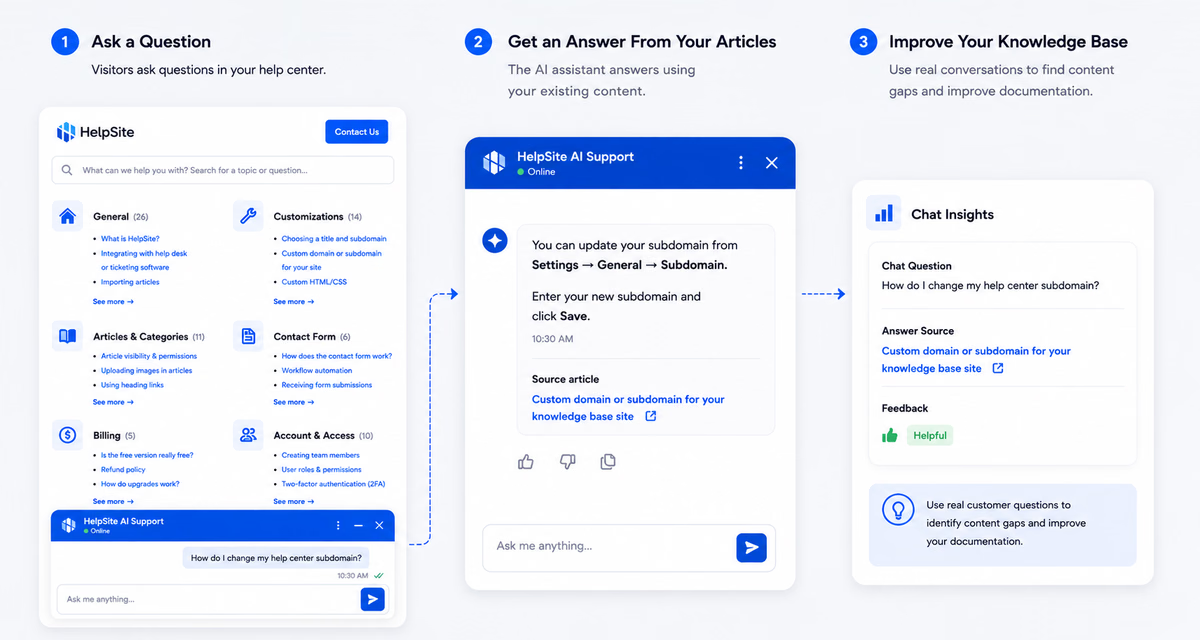
AI answers
Answer customer questions with AI grounded in your HelpSite articles, source links, and reviewable chat history.
Maintenance
See which articles work, what visitors search for, and where stale content is starting to create confusion.

One place for answers
Create public articles, private SOPs, and team playbooks in a simple editor built for repeated questions.
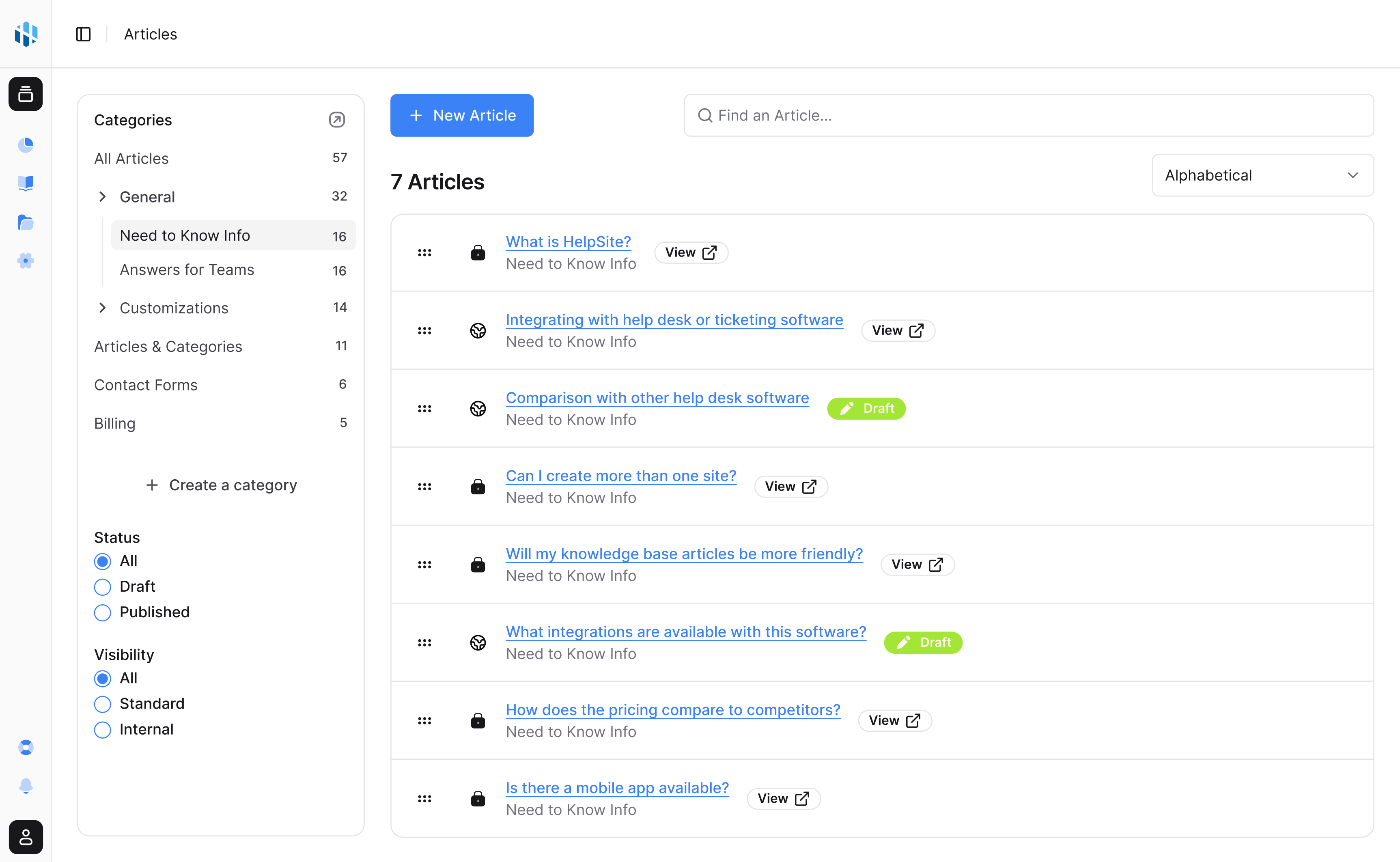
Launch a public help center, private SOPs, or both in an afternoon.
Start your free trial14-day free trial · No credit card to start