
Assignments
Give every article a clear owner
Assign teammates to write, update, or review articles. Track status, set due dates, and get notified when work is done, so your knowledge base stays accurate without chasing anyone.
No credit card to start



- “It directs my clients to FAQs instead of just filling out the contact form — I stop answering the same questions repeatedly.” — Arthur D., Owner, IT and Services
- “We don't need an IT guy to do the coding for us. It made our work easier.” — Aimee N., Owner/Managing Director, Outsourcing
- “So simple to write an article and get it published on the site immediately. Such a great timesaver.” — Melissa C., Head of Product, Events Services
- “The self-service knowledge base has reduced ticket volume.” — Armando M., Design Engineer, Civil Engineering
- “Client users find it easy to access information and we find it easy to update and add new information.” — Chris D., Co-founder, Information Services
- “The sales department made it part of their presentations as a key selling point.” — Bradley U., Chief Content Creator, Marketing & Advertising
- “I like how it makes it super easy and friendly, so different users in the company can collaborate without having to know website publishing.” — Daniel H., Chief Executive Officer
Assignment types
Write, Update, or Review. One system for all article work.
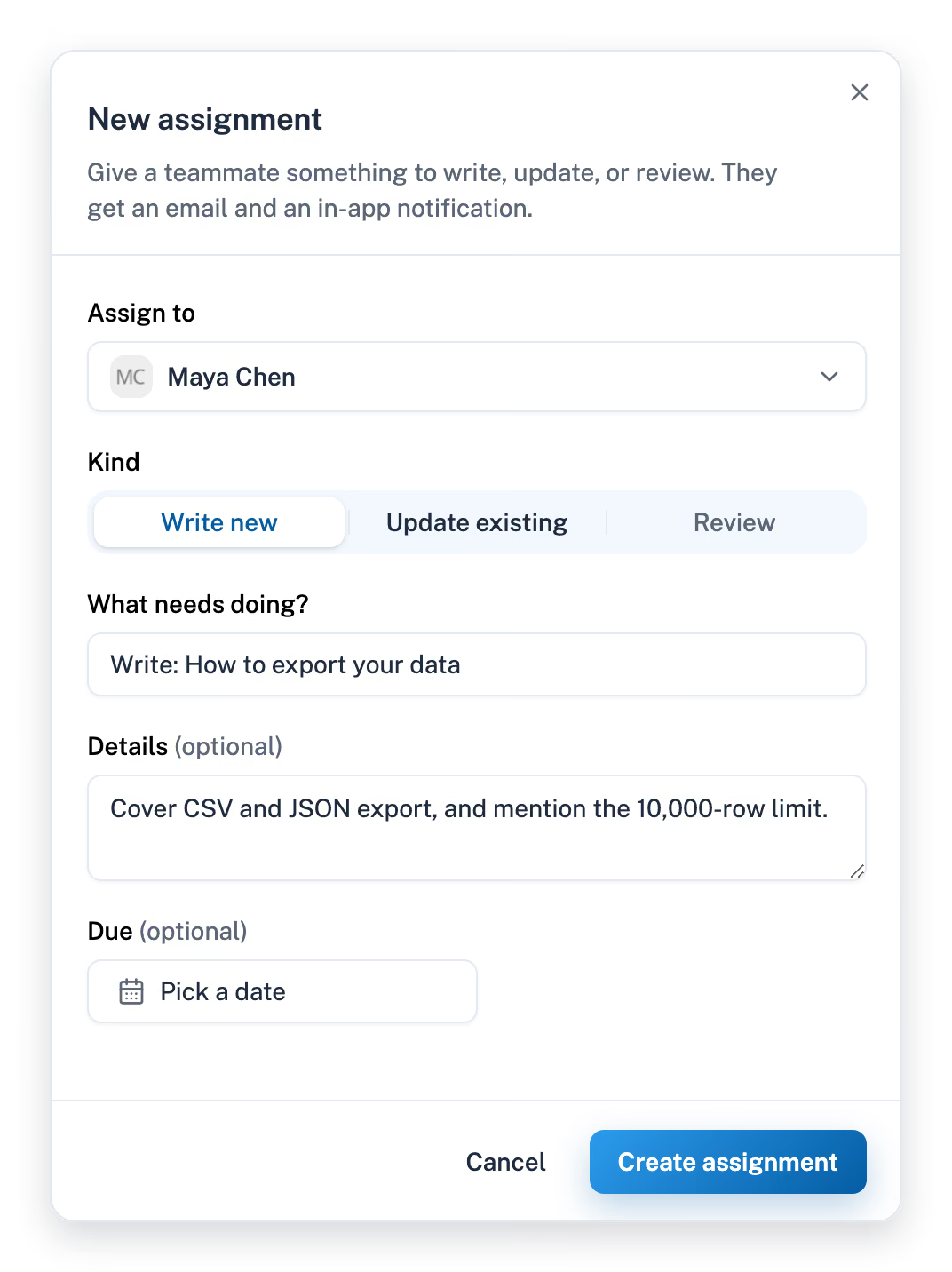
Not all article work is the same. Assignments covers three distinct types so you can be specific about what you're asking for.
Write
Ask a teammate to create a new article from scratch. Add context, link a due date, and it lands in their queue.
Update
Link an existing article and ask a teammate to make changes. They see exactly what needs fixing without any back-and-forth.
Review
Ask a teammate to check an article before or after it goes live. The open review shows in the editor, so the reviewer knows what to check and can mark it done from there.
Status tracking
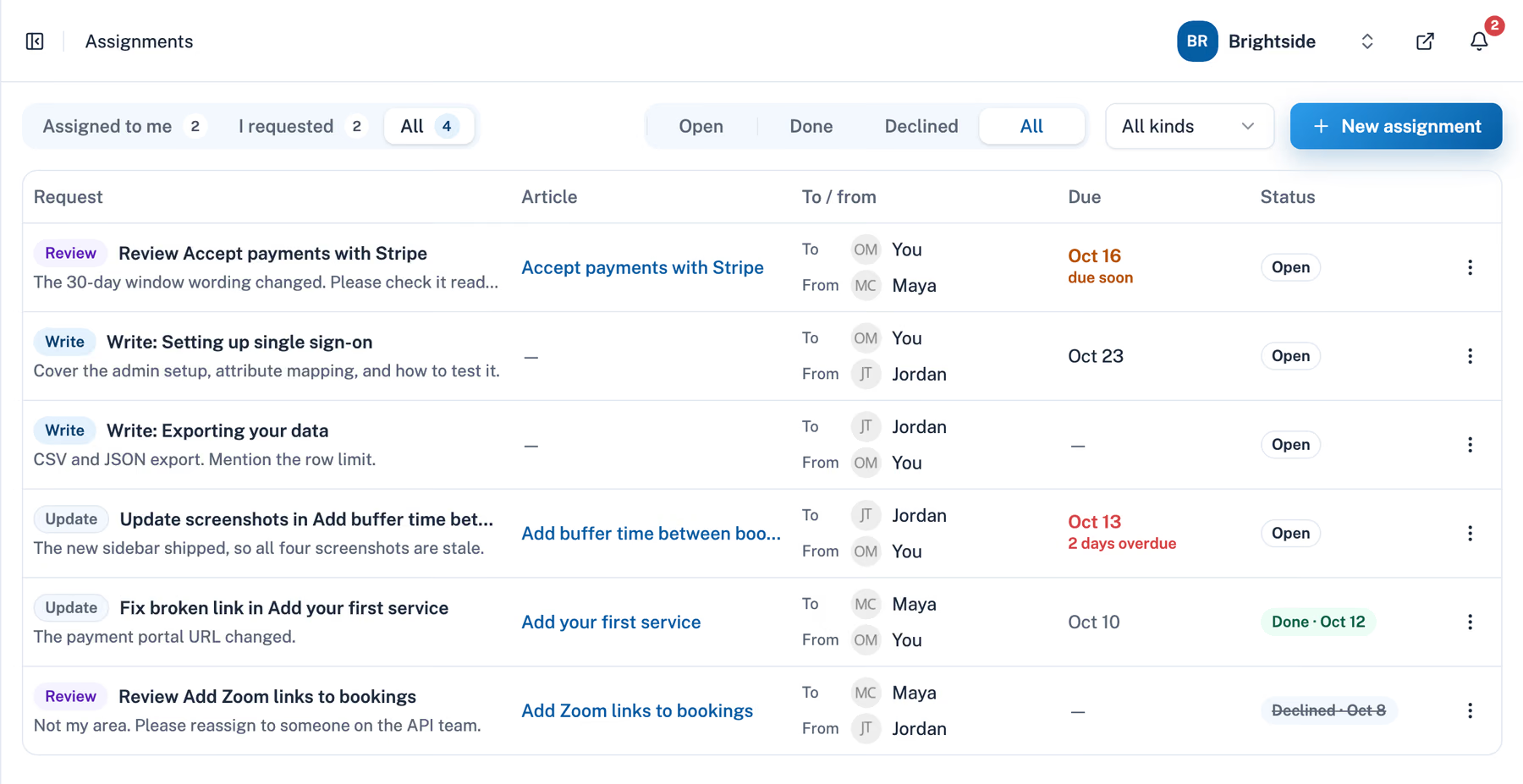
One Assignments page. Every request, every status.
No more guessing where things stand. The Assignments page gives your whole team a live view of every open piece of work.
Assigned to me
See exactly what's waiting for you, filtered to just your queue.
I requested
Track the work you've asked for and see when it gets done.
Open, Done, Declined
Every assignment has a status. Mark it done, decline it, or reopen it later if the work comes back.
Due dates
Set a deadline when it matters. Due dates are visible to both the assignee and the requester.
Notifications
Email and in-app notifications, so nothing slips through
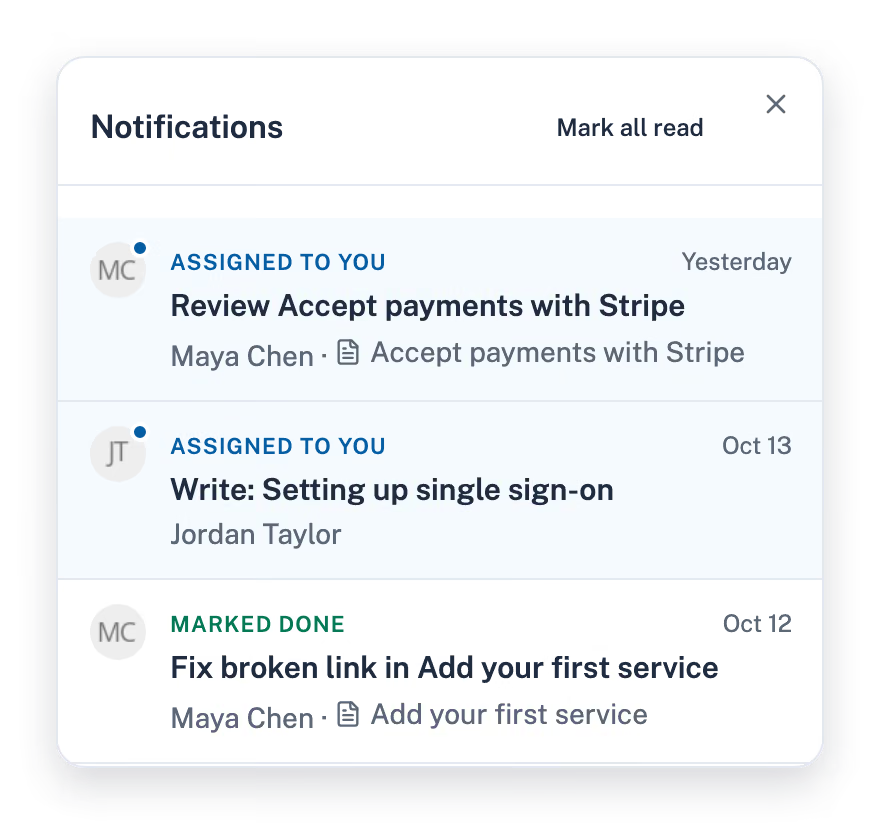
When you assign something, your teammate finds out right away, not the next time they happen to open HelpSite.
In-app bell
A notification count in the dashboard shows unread items. Click any one to go straight to the assignment.
Email notifications
Assignees get an email with the full context: what is needed, the due date, and a direct link to the article in the editor. Requesters get an email when the work is done.
No self-notification
Assigning something to yourself does not trigger a notification. Clean queue, no noise.
AI via MCP
Claude can receive and complete assignments through MCP
Connect HelpSite to Claude via MCP and assign article work to Claude like any other teammate. Claude checks its open assignments, does the writing, and hands the article back to the requester to review.
List its assignments
Claude can see what has been assigned to it across any of your sites.
Do the work
Claude writes new articles as drafts or updates the linked article, then marks the assignment done with a note on what changed.
Request human review
When Claude finishes a Write or Update assignment, it can create a Review assignment for the requester, so a person checks the work.
Keep your documentation accountable
Assign owners, track requests, and never let your knowledge base go stale — free to try.
Assignment FAQs
Common questions about assignments in HelpSite.
What types of assignments can I create?
Three: Write (create a new article), Update (change an existing one), and Review (check an article and sign off). Each type tells the assignee exactly what you are asking for.
How do notifications work?
Assignees get both an in-app notification and an email when something is assigned to them. Requesters get an email when their assignment is completed. You will not get a notification if you assign something to yourself.
Can I track the status of an assignment?
Yes. Every assignment is Open, Done, or Declined. You can filter by status on the Assignments page, and assignments can be reopened after they are closed.
Can I set a due date?
Yes. Due dates are optional but visible to both the assignee and the requester throughout the assignment lifecycle.
Can I assign article work to AI?
Yes, if you connect HelpSite to Claude via MCP. Claude can list its open assignments, do the article work, and send a Review assignment back to the requester. New articles Claude writes start as drafts.
Does HelpSite keep version history?
It does. Articles autosave and keep a full version history with authors, so you can review changes and restore any previous version.
One place for answers
Smart knowledge base
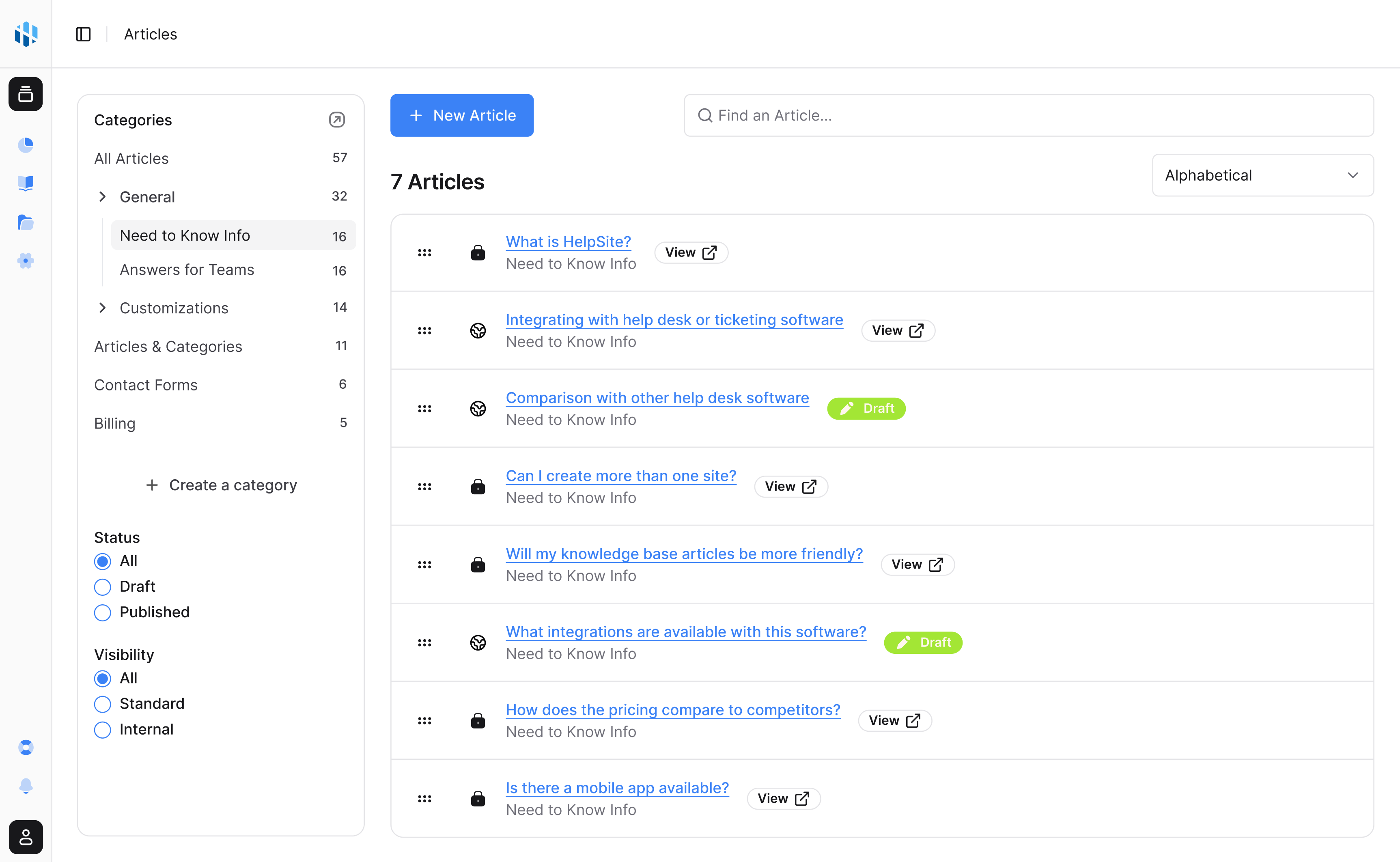
Create public articles, private SOPs, and team playbooks in a simple editor built for repeated questions.
Findability
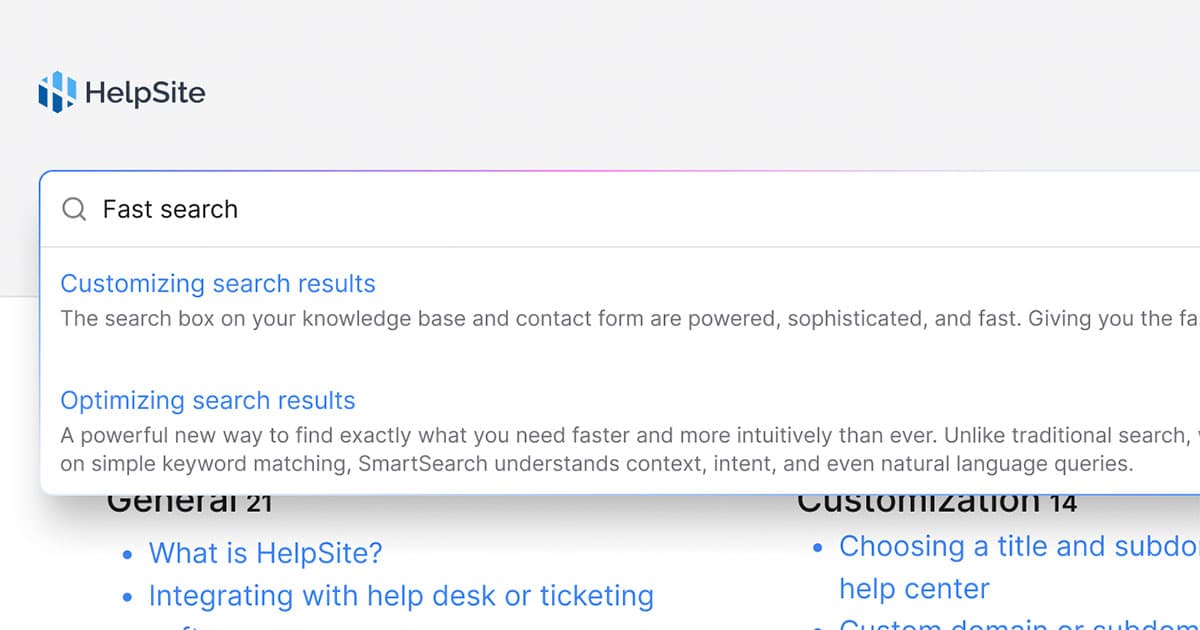
Lightning-fast search
Help customers and teammates find the right answer before another ticket, ping, or meeting appears.
AI answers
AI chatbot
Answer customer questions with AI grounded in your HelpSite articles, source links, and reviewable chat history.
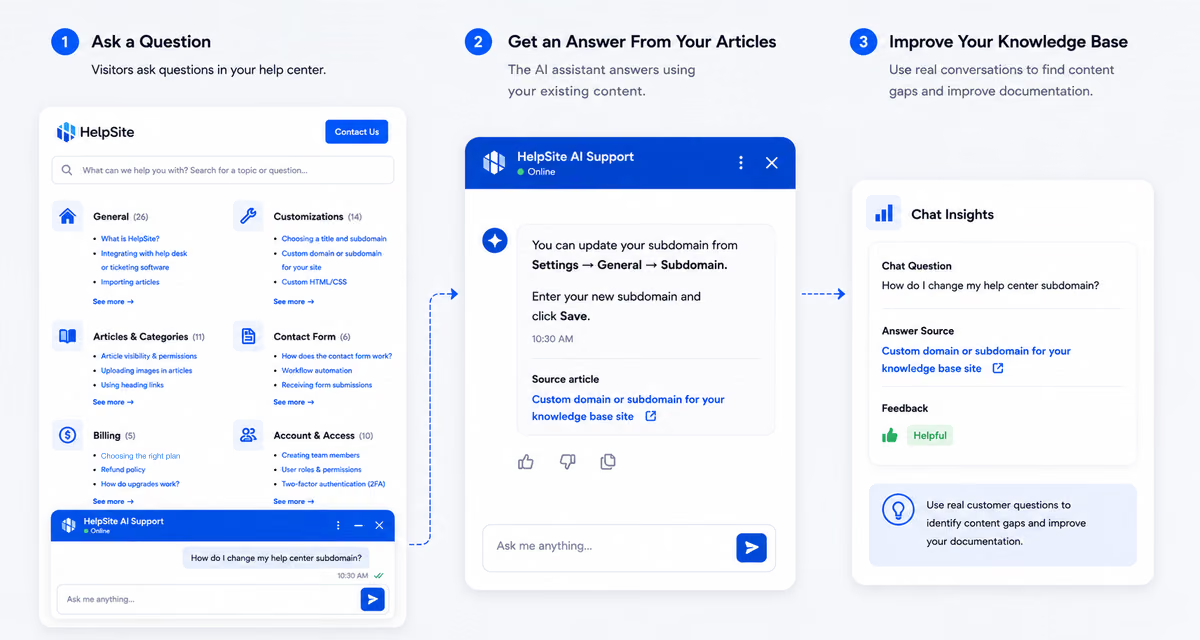
Put sourced answers in front of customers.
Launch a public help center, private SOPs, or both in an afternoon.
Start your 14-day free trialNo credit card to start · No per-seat pricing