Getting Started
6 articles proposed.

AI KB Generator
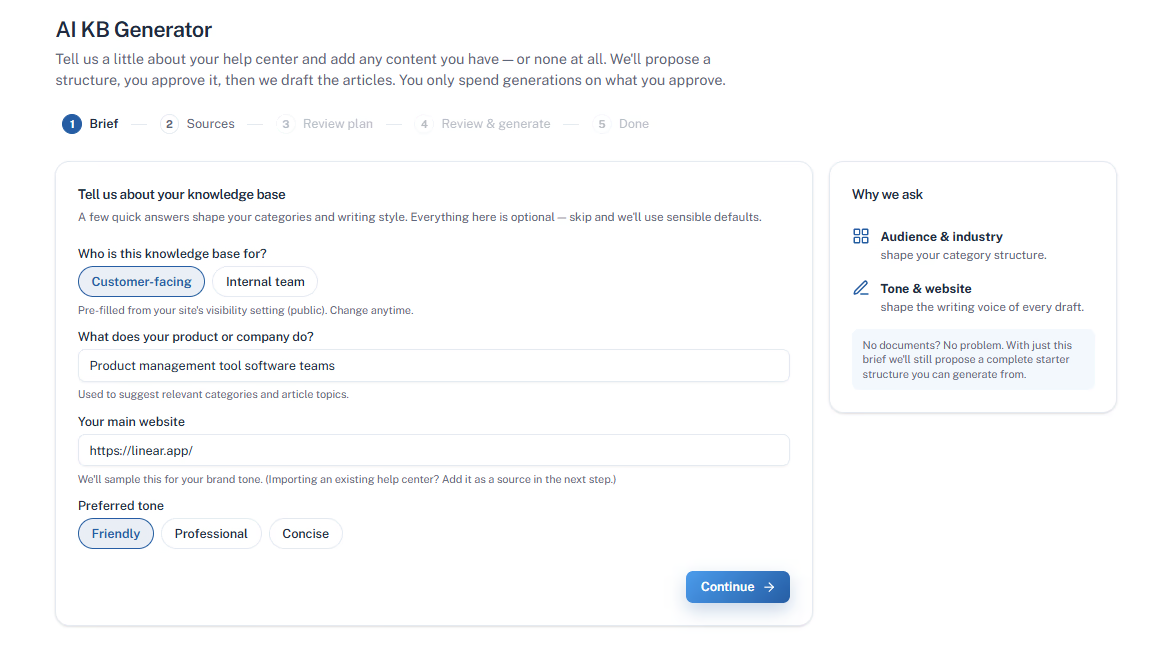
Your useful content is already scattered across a website, PDFs, docs, and team knowledge. HelpSite turns it into an organized article plan and reviewable drafts, so you can get a useful KB started without writing every article from scratch.


How it works
You stay in control the whole way through. Nothing is written, and nothing is published, until you say so. Click any step to see it.
Plan preview
Based on your sources, HelpSite proposes a full structure. Edit anything before a single word is drafted.
6 articles proposed.
4 articles proposed.
5 articles proposed. Flagged as a possible duplicate of your existing docs.
3 articles proposed. New from your brief.
Article types
The generator matches the format to the topic instead of turning everything into the same page.
Step-by-step instructions for a specific task.
Background and explanation for how something works.
Short, direct answers to the questions people actually ask.
Symptom, cause, and fix for when something breaks.
Why teams use it
Move from raw material to a usable knowledge base while keeping the decisions that affect quality and trust in your hands.
Import your website, PDFs, docs, or pasted text—or start from a brief when the knowledge is still in your team's heads.
Review the proposed categories and article titles before drafting begins. Rename, merge, or remove anything that does not belong.
Start with three free sample drafts. Add a credit card to unlock up to 25 drafts from the plan, or pay to generate the full set.
Overlapping content is flagged against your sources and existing articles, so a second pass is less likely to create redundant answers.
Review every article in the editor, give the AI specific feedback, and approve drafts individually. Nothing publishes without your sign-off.
Questions before you start
Start with what you have, keep control of what gets written, and publish only the articles you approve.
The AI KB Generator turns your existing content—or a short description of what you need—into an organized knowledge base plan and article drafts. You review the structure, preview sample writing, and approve each article before it is published.
Yes. You can start with your audience, tone, and topic instead of importing existing documents. HelpSite proposes a starter structure from your brief, so you can begin building a useful knowledge base without writing every article from scratch.
You can point it at a website, upload PDFs and documents, connect Google Drive, or paste in text. You can also combine sources or skip them entirely and start from your brief when you are creating a knowledge base from scratch.
No. Generated articles start as drafts. You can review the proposed plan, edit sample and full drafts, give feedback for revisions, and approve articles individually. Nothing is published until you decide it is ready.
Yes. Start with three free sample drafts. If you want to review more, add a credit card to unlock up to 25 drafts from the plan, or pay to generate the full set. This gives you a low-risk way to judge the result before committing.
Free plan preview and sample drafts. No commitment required to see it work.
One place for answers
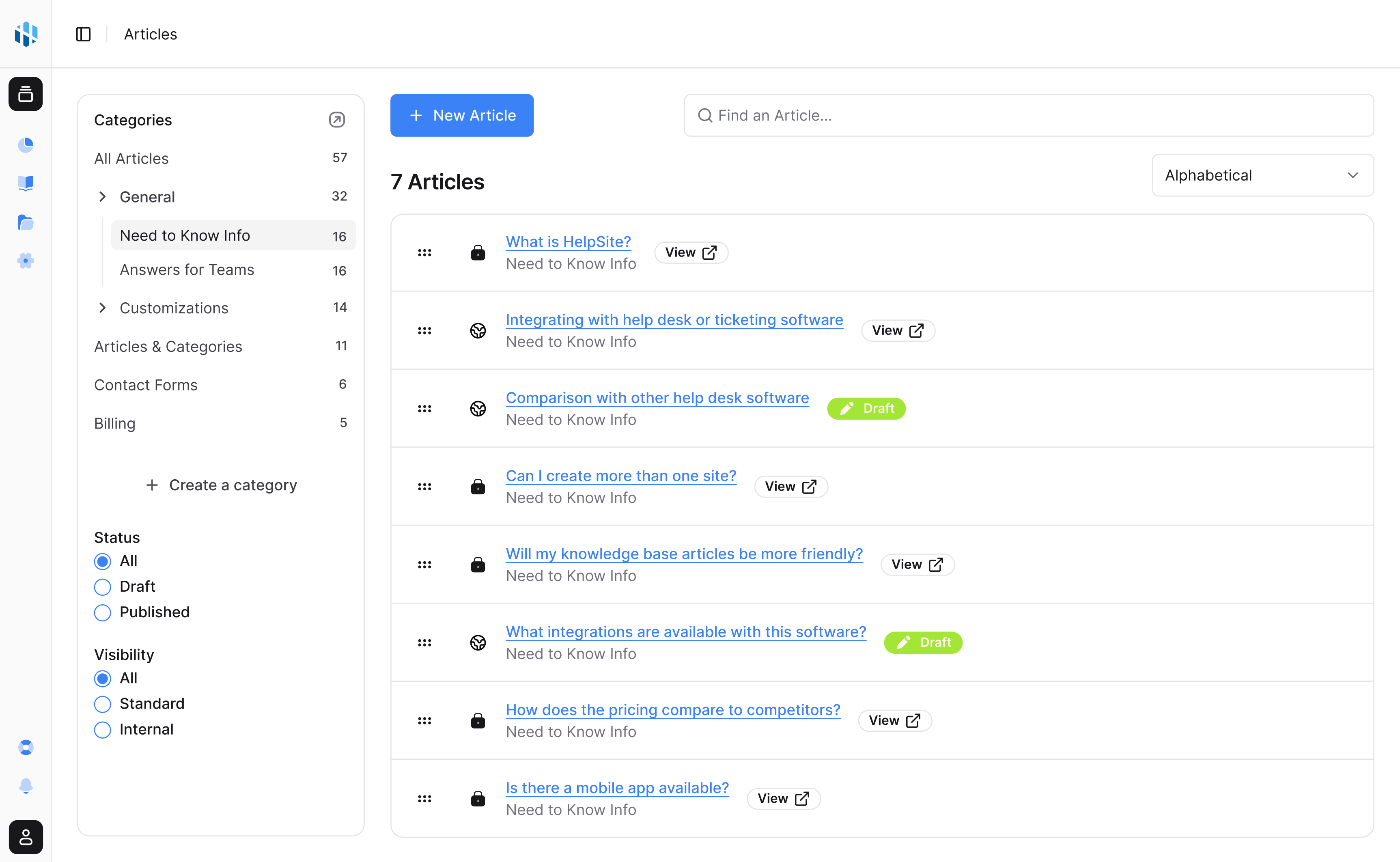
Create public articles, private SOPs, and team playbooks in a simple editor built for repeated questions.
AI answers
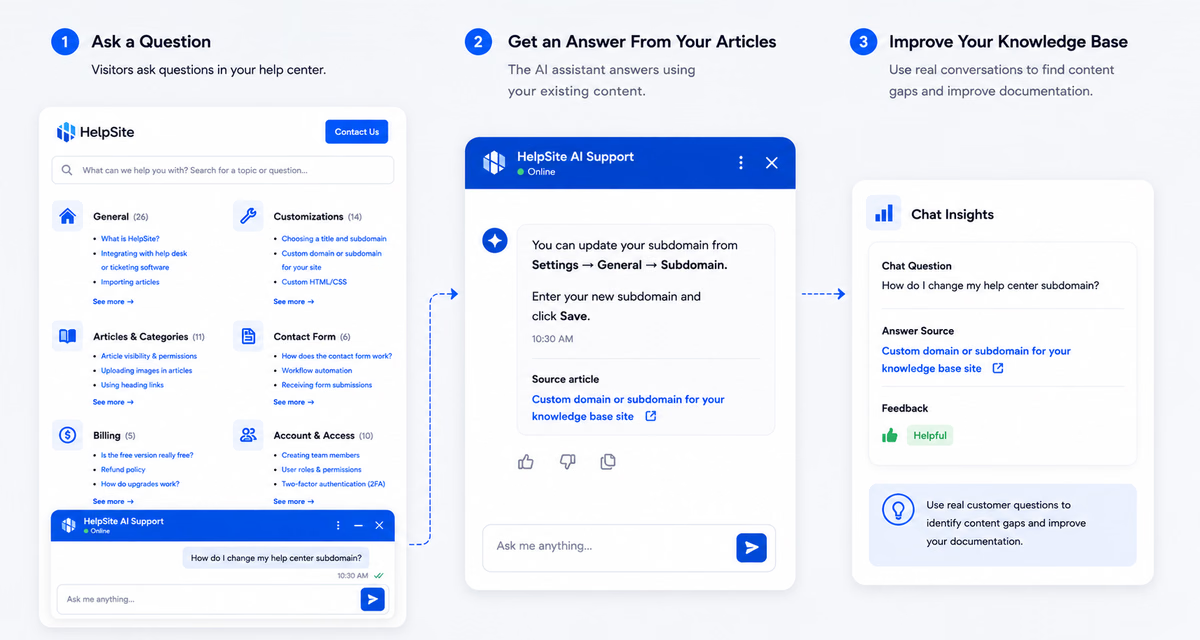
Answer customer questions with AI grounded in your HelpSite articles, source links, and reviewable chat history.
Maintenance
See which articles work, what visitors search for, and where stale content is starting to create confusion.

Let the AI KB Generator turn what you already have into a knowledge base you approve, article by article.
Start your free trial14-day free trial · No credit card to start