


Manage HelpSite From
Your AI Tools
Use HelpSite's MCP Server to bring your help center into AI tools like Claude, ChatGPT, and other MCP-compatible assistants, so your team can search, review, and draft documentation faster.
Turn Your HelpSite Content Into an AI-Ready Knowledge Base
Your knowledge base already holds the answers your team and customers need. HelpSite's MCP Server makes that content easier to access through the AI tools your team already uses.
Connect your HelpSite knowledge base to MCP-compatible AI tools.
Search articles, categories, and site content using natural language.
Create draft articles and updates based on your existing documentation.
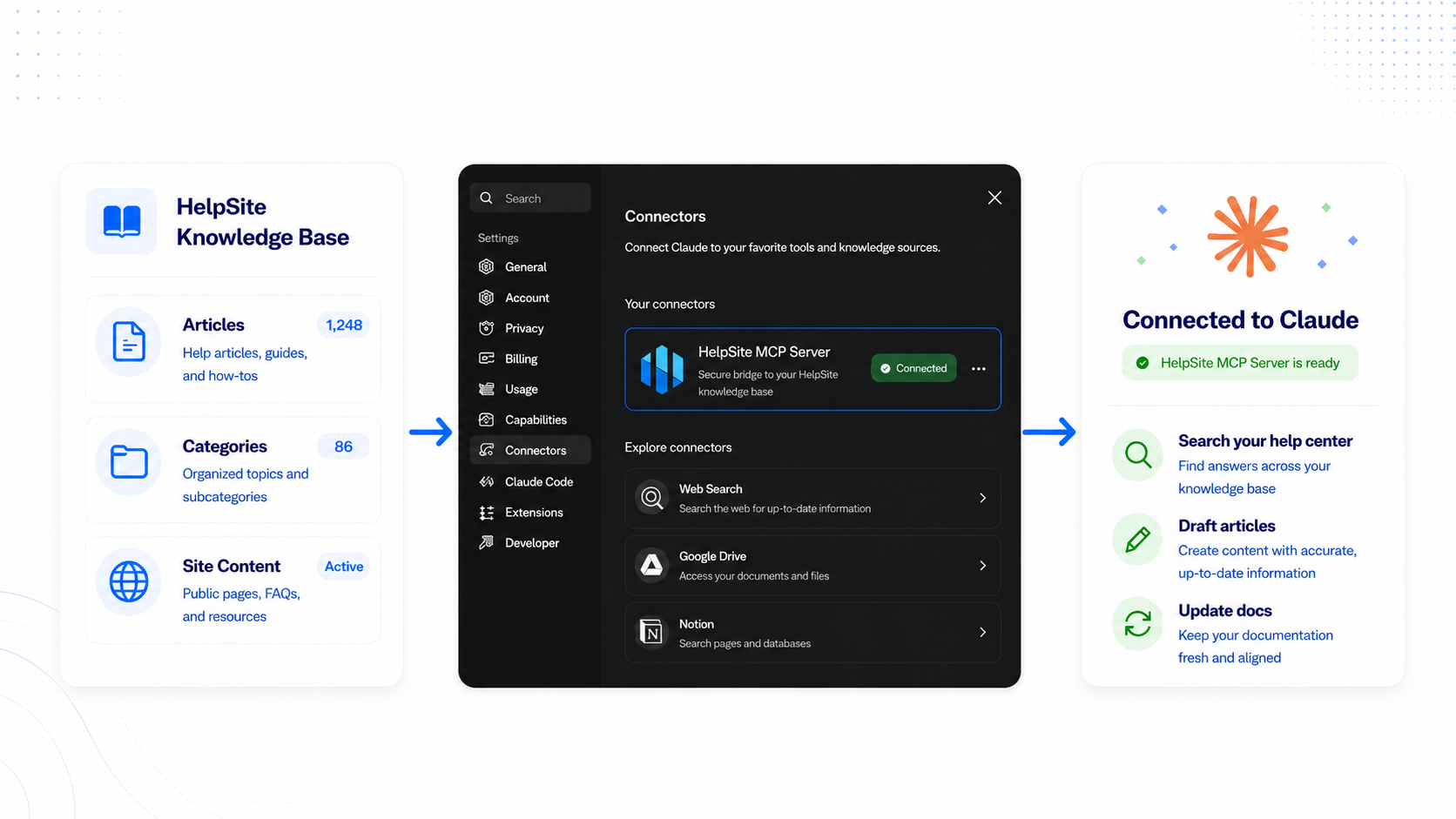
A direct bridge between HelpSite and AI
Customers use their own AI account. HelpSite provides the connection layer, tool access, and knowledge base actions.
Customers use their own AI account. HelpSite provides the connection layer, tool access, and knowledge base actions.
Built for Knowledge Base Workflows, Not Another Search Bar
MCP gives AI tools the context they need to read and manage HelpSite content. It is a foundation for article search, content updates, category management, and future AI-assisted workflows.
Uses your HelpSite API key for account-level access.
Works with MCP-compatible tools such as Claude and other AI clients.
Gives HelpSite a practical AI workflow without requiring a separate AI chatbot inside your help center.
Real-World Use Cases: Work With Your Knowledge Base Through AI
HelpSite's MCP Server gives your team a faster way to work with support content, product docs, FAQs, policies, and internal knowledge.
Search content
Ask for articles about billing, onboarding, setup, or any topic already covered in your help center.
Draft articles
Create new help articles from existing context, then review and publish when ready.
Update existing docs
Find articles with old wording, outdated plan names, or stale instructions and prepare updates faster.
Organize your knowledge base
Review sites, categories, and article structure without clicking through every page manually.
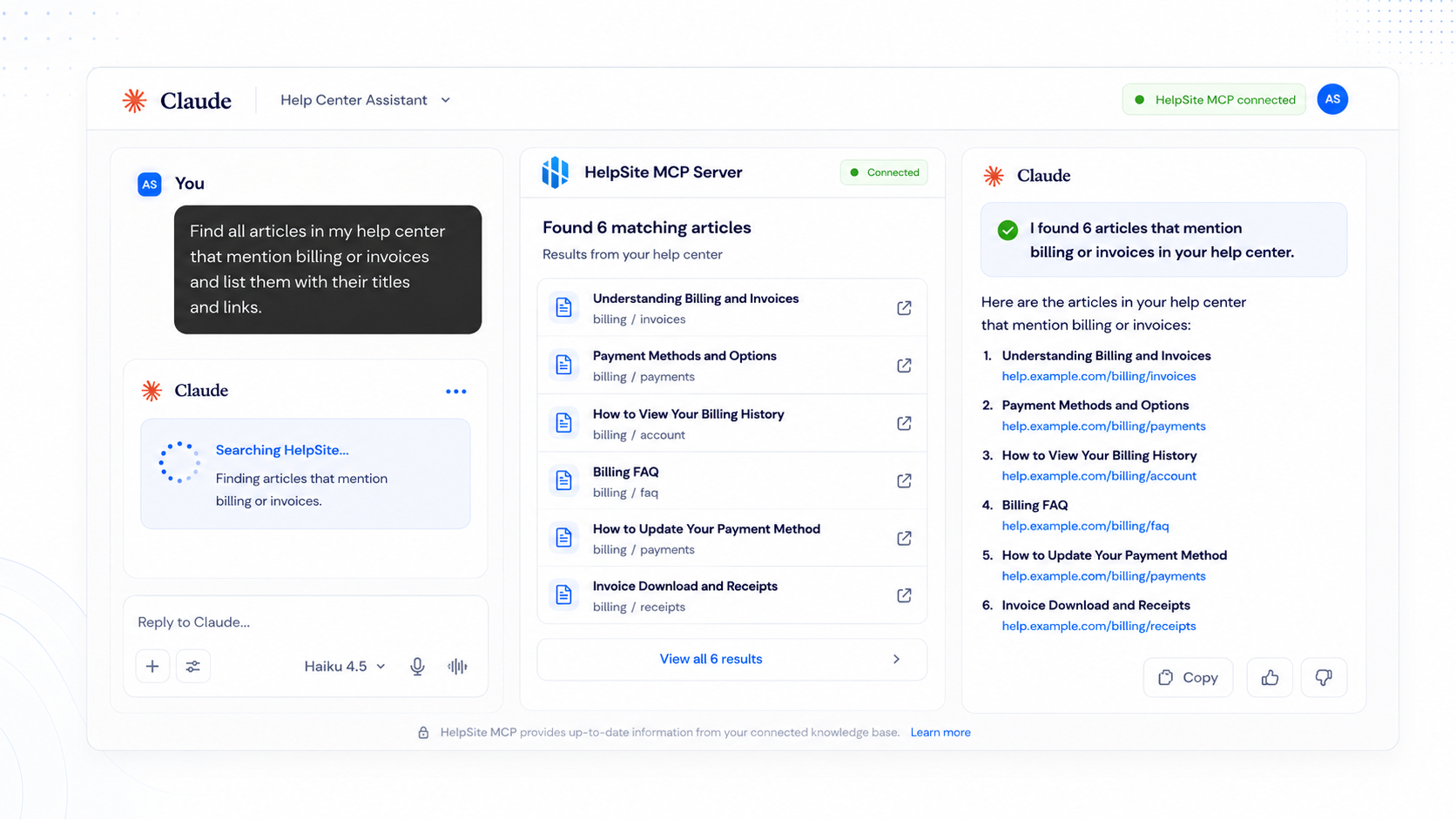
Prompts You Can Use Right Now
Not sure where to start? Copy any of these prompts directly into Claude, ChatGPT, or any MCP-compatible AI tool connected to your HelpSite.
SEARCH
"Find all articles in my help center that mention billing or invoices and list them with their titles and links."
DRAFT
"Create a troubleshooting guide for login issues using the style of my existing articles."
UPDATE
"Find any articles that still mention our old plan names — Starter, Growth, and Scale — and flag them for me to review."
ORGANIZE
"Find articles that are related but stored in different categories."
Still have questions?
Can’t find the answer you’re looking for? We're here to help you!