


Here's what changed in HelpSite this month: a way for teammates to suggest article changes for review, callouts that make important details stand out, a theme that matches your brand from your website, and a free grader for any help center.
What's Just Launched
1. Collaborate on Articles with Suggest Edits
Keeping your help center up to date is easier when everyone can contribute. So we built a way for your team to suggest changes without affecting the published article.
With the new Suggest Edits feature, teammates can propose changes, review suggestions, and collaborate on articles before publishing. Every suggestion is color-coded by person, so you can see exactly what's being changed and by whom.
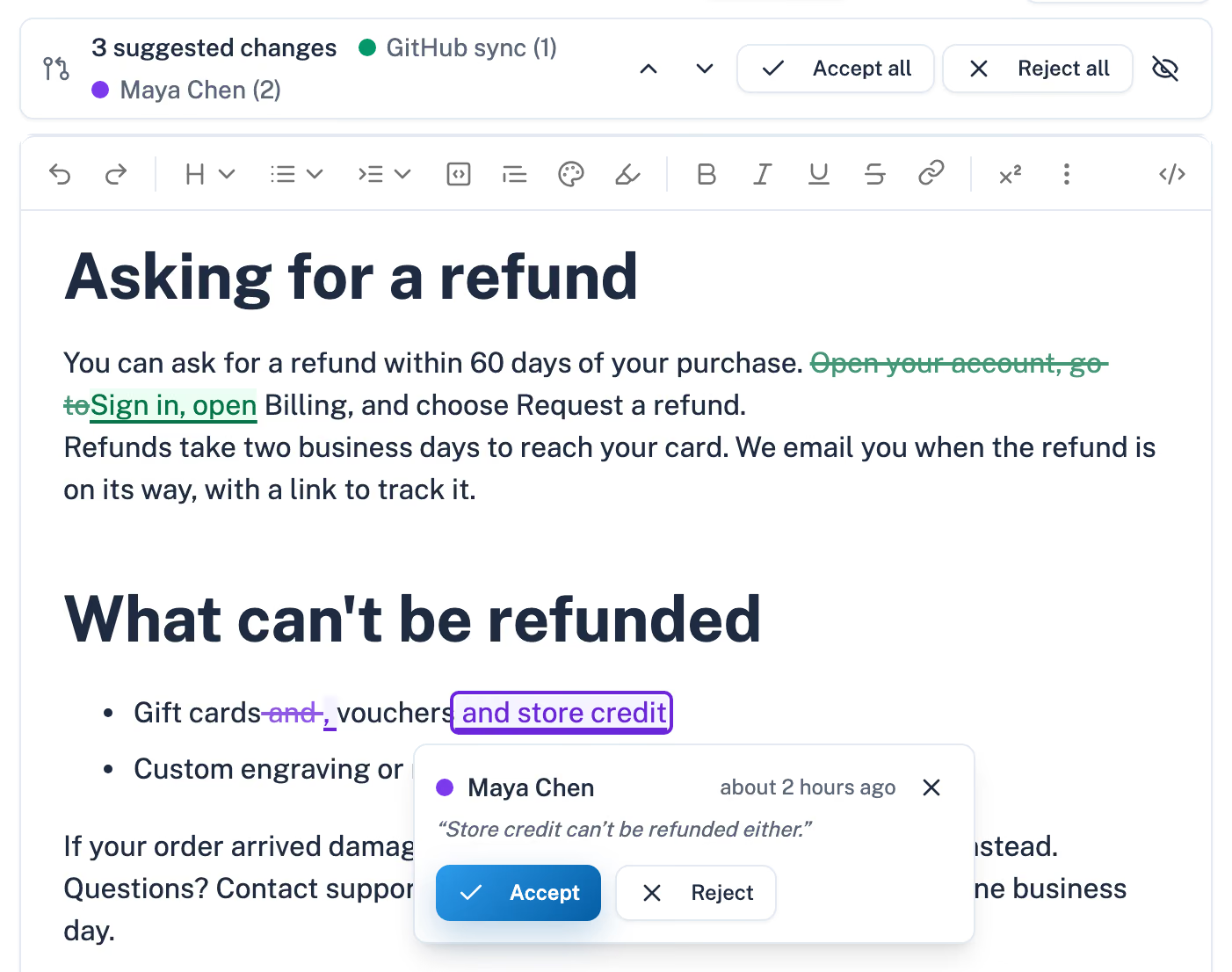
Here's what it includes:
- Toggle between Editing and Suggesting mode right above the article editor
- Color-coded suggestions per person, so you always know who suggested what
- Review changes one by one, or accept or reject all suggestions at once.
- AI Assist arrives as a suggestion when your article already has content, so nothing gets overwritten without your approval.
- See pending suggestions directly from your Articles list, so nothing gets missed.
2. Add Note, Tip, Warning, and Danger Callouts to Articles
Some information deserves a little extra attention. So we made it easier to highlight important details right inside your articles.
You can now add Note, Tip, Warning, and Danger callouts, each with its own color and icon, to help readers quickly spot useful tips, important instructions, or things they shouldn't miss.
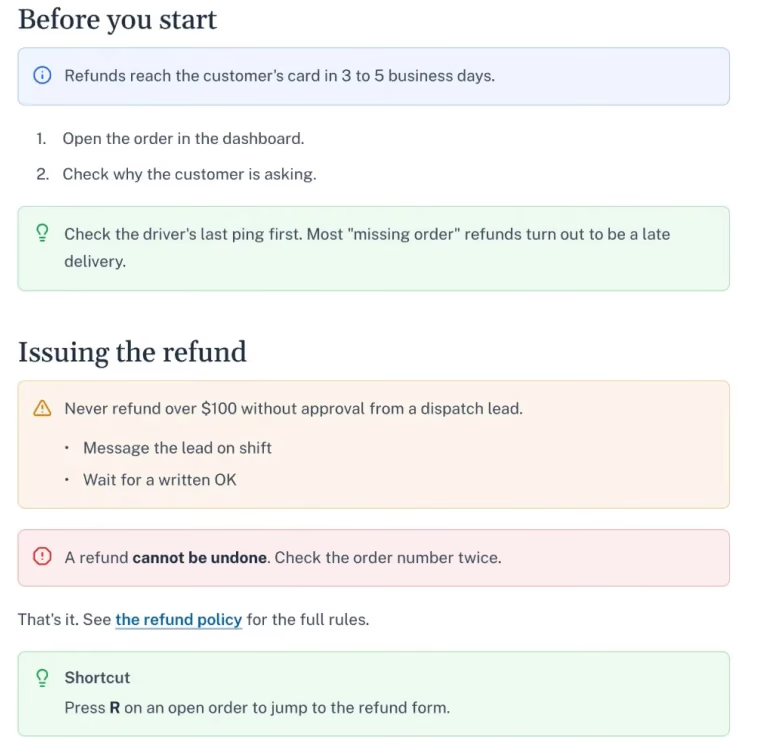
Here's what you can do:
- Add callouts in one click using the new Callout button in the editor toolbar.
- Choose from four types: Note, Tip, Warning, or Danger.
- Customize the heading, or leave it blank for a cleaner look.
- Add text, lists, links, and images inside each callout.
Callouts also work through our API and MCP server, so if you're importing or syncing articles from other tools, your callout formatting stays intact.
3. HelpSite Now Matches Your Brand Automatically
Your help center should look like the rest of your website, and now it does without any setup.
Click the new Match from my site button in Design → Customize, and HelpSite reads your website and pulls in your logo, brand colors, and fonts. You don't have to copy hex codes or look up font names.
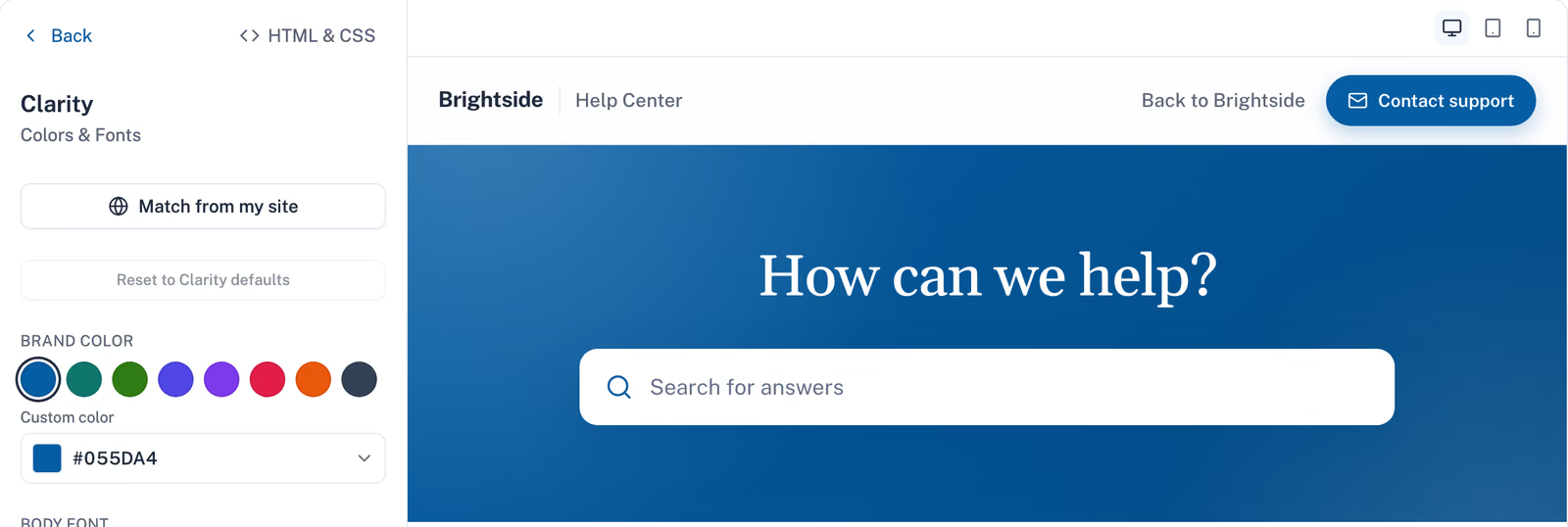
New sites also start on our latest Clarity theme, which was designed to work beautifully with any brand color straight out of the box.
4. Free Help Center Grader
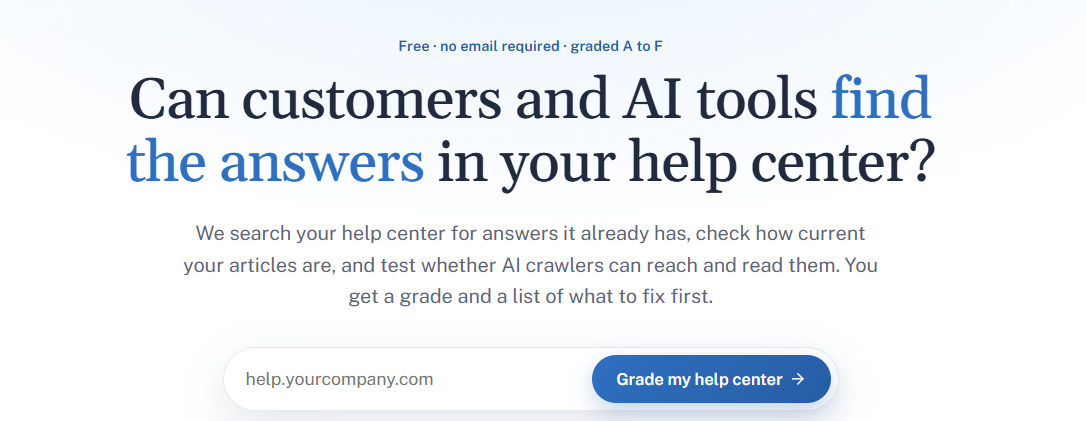
Curious how your help center stacks up? We built a free tool to show you exactly where you stand.
Paste any help center URL into the Help Center Grader and get a score out of 100, with checks for customer experience and AI readiness. It takes a minute or two and works on any help center, not just HelpSite ones.
More Updates You'll Love
We've also rolled out a few smaller updates to make creating and managing your knowledge base even easier:
- AI Chatbot improvements: The AI Chatbot tab now shows exactly what your chatbot knows, including article count, last sync time, and pending changes, and syncs automatically when you turn it on.
- API image uploads: You can now upload images directly via the HelpSite Public API using your site API key, or via the new upload image MCP tool.
- A major Public API expansion: You can now fully manage your knowledge base programmatically. Create, update, and order categories, set custom URL slugs, sync content using external IDs, send article content as Markdown, manage article order and redirects, and more.
- 1,540 category icons: The category icon picker now offers a much larger icon library, with curated groups including a new "AI & automation" group, plus search across all icons.
- See Your Help Center Before You Sign Up: New users can now preview a fully branded help center using their website URL before creating an account. No signup required to see the preview.
Many of these came straight from customer suggestions. If there's something you'd like to see next, tell us.
Don't Have Time to Build Your Knowledge Base? We'll Build It and Help Keep It Updated.
If building and organizing your knowledge base keeps getting pushed down the list, our Done-for-You service can take it off your plate and keep it up to date automatically after launch.
Send us your existing docs, FAQs, and other support content, and our team will turn them into a clear, searchable HelpSite knowledge base. We can also connect it to your existing tools and workflows so your docs stay current on their own.
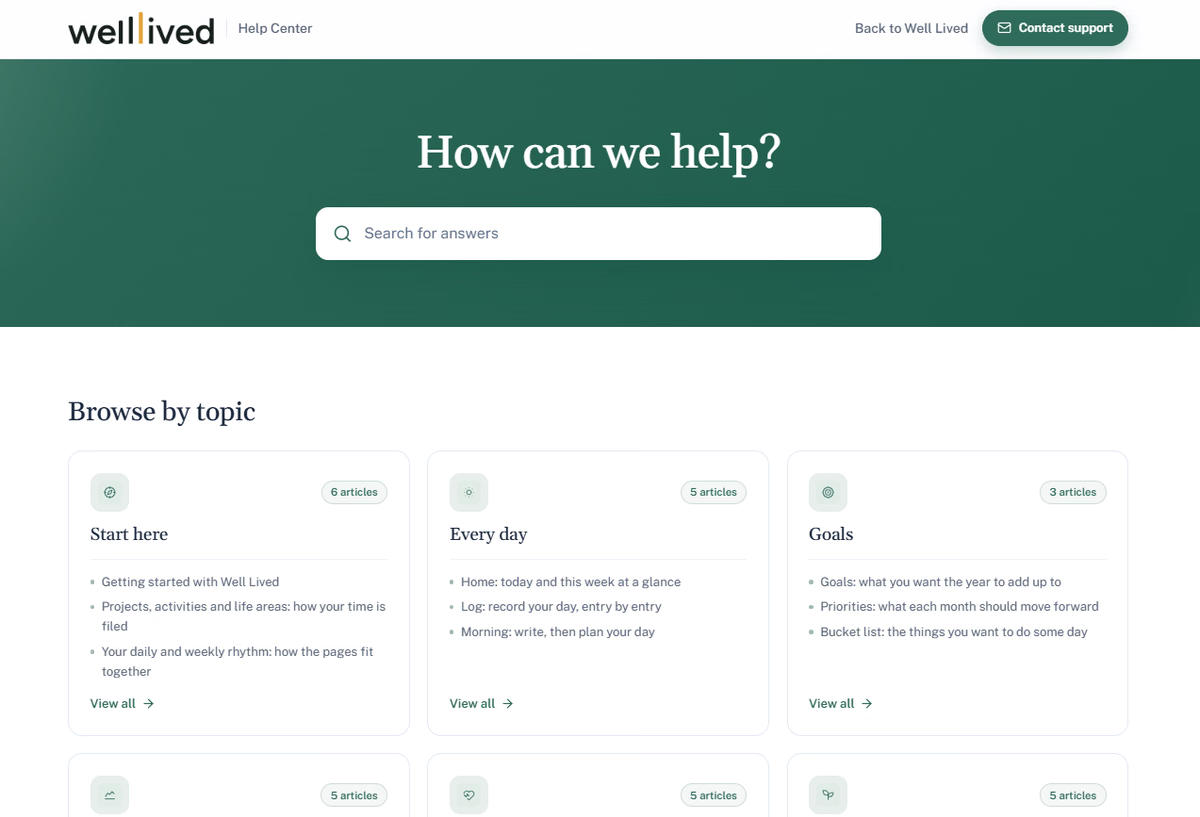
Want to see it in action? We set this up for Well Lived, where 85% of help article updates now ship in the same change as the code they describe. See how we made it work.
We'll help with:
- Planning your knowledge base structure and article list
- Writing sample articles for your review
- Writing, organizing, and publishing the full knowledge base
- Setting up your HelpSite
- Setting up automated syncing so your docs update on their own
- Training your team so you can keep everything up to date
Limited pilot spots are currently available at 50% off in exchange for feedback and a short case study.
Learn more about our Done-for-You service
Share Your Story with Us
We'd love to hear how you're using HelpSite. If you're open to being part of a case study, we can shine a bit more light on your work and help more people find your brand. Get in touch and we'll walk you through the next steps.
Earn $50 Credit with HelpSite
As a small thank-you, we've rolled out a simple Referral Program you can use to invite coworkers, clients, or friends who might benefit from HelpSite.
You can earn a $50 credit for every new customer you refer. When someone signs up through your link and stays active for 90 days, the credit is added to your account. (Available for paying customers.)
How to start:
- Join the referral program and get your unique link
- Share it with a friend or colleague
- Get a $50 credit when they become a paying customer and stay active for 90 days
Want to stay more connected?
- Log in and explore what's new
- Get two months free by switching to annual billing
- Follow us on X and LinkedIn
- Catch up on our latest blog posts for updates, tips, and ideas to get the most out of HelpSite