

If your IT team feels stuck in a loop of repetitive tickets, constant Slack pings, and onboarding questions that never end—you’re not alone. As companies grow, support demand grows with them, but hiring doesn’t always keep up. The result? Burnout, slower response times, and frustrated employees. This guide shows how IT teams scale support without hiring more staff by turning everyday knowledge into self-serve resources that reduce tickets and free up your team to focus on higher-impact work.

Why IT support doesn’t scale with headcount alone
Most IT teams try to solve growing demand by adding more people. But that approach quickly becomes expensive—and inefficient.
- According to Zendesk, 61% of customers prefer to resolve issues on their own rather than contact support.
While this stat is customer-focused, the same behavior applies internally: employees prefer quick answers over waiting for IT.
Micro-case:
- A Head of Training in IT reported reducing support cases by roughly 30% within the first year after centralizing knowledge with HelpSite.
How IT teams scale support without hiring more staff
Scaling IT support isn’t about doing more—it’s about making knowledge accessible.
1. Turn repetitive tickets into documentation
Every repeated question is a documentation opportunity.
Instead of answering the same request 10 times, document it once and reuse it.
Example topics to document:
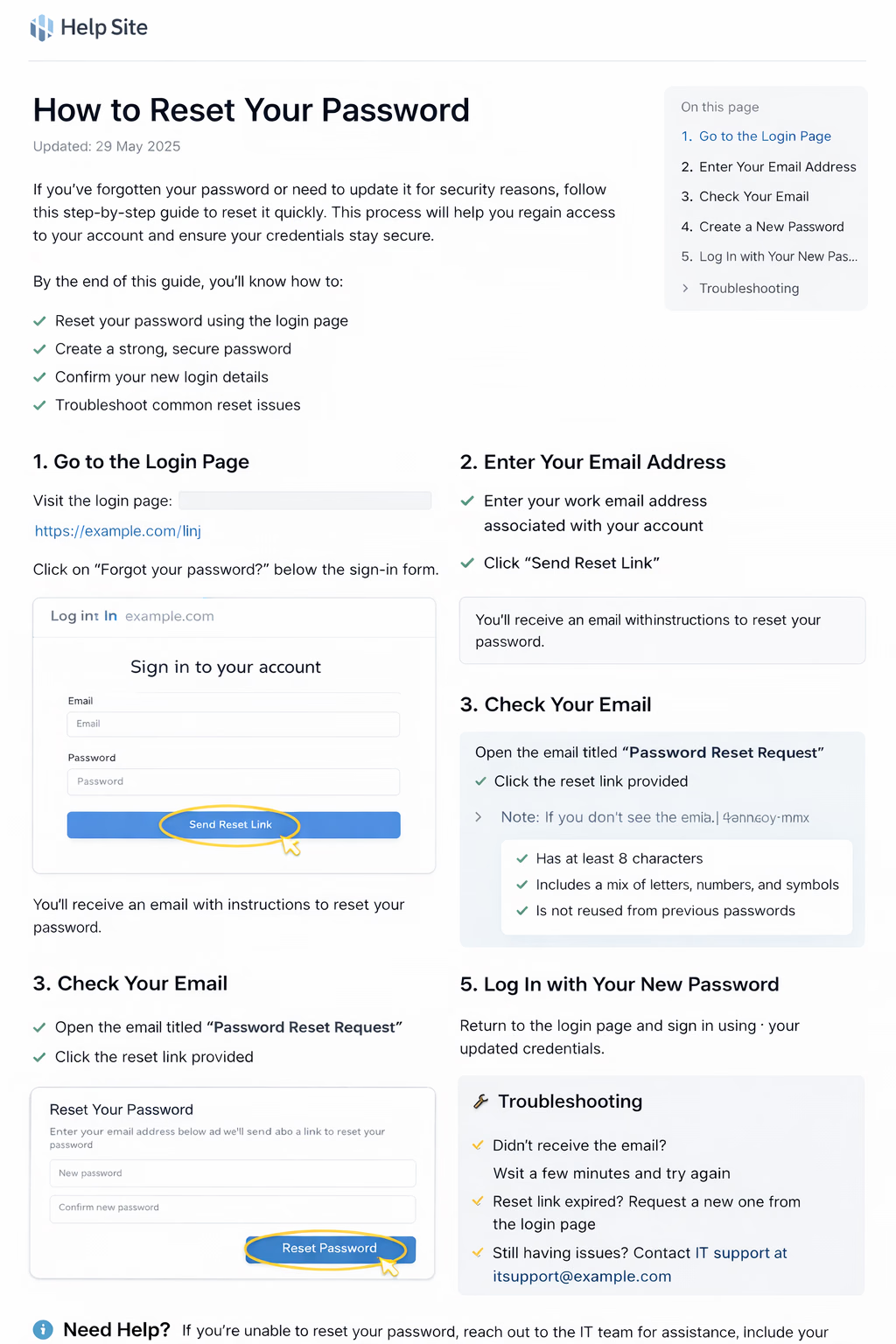
- How to reset your password
- How to request software access
- How to connect to VPN
- How to troubleshoot login issues
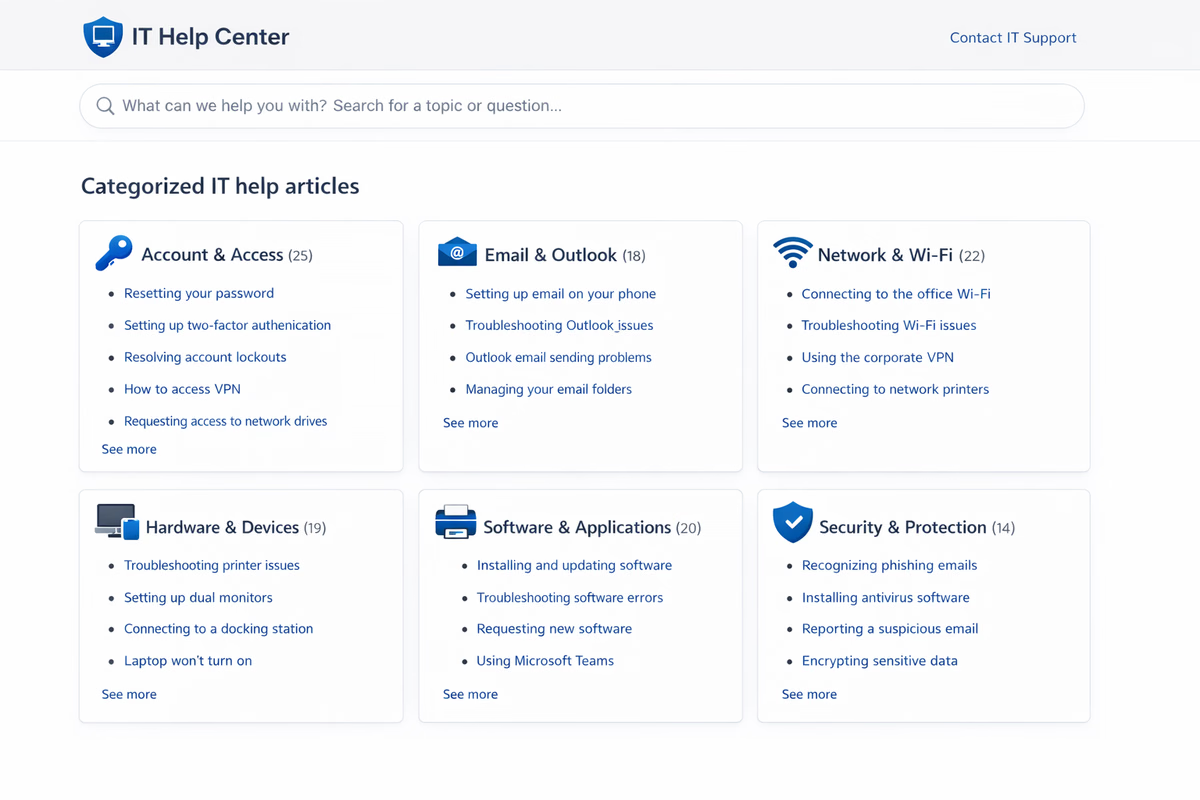
2. Build a searchable internal IT knowledge base
Scattered Google Docs and Slack threads don’t scale. Employees need one place to search for answers.
A structured knowledge base allows employees to:
- Find answers instantly
- Follow step-by-step instructions
- Avoid submitting tickets
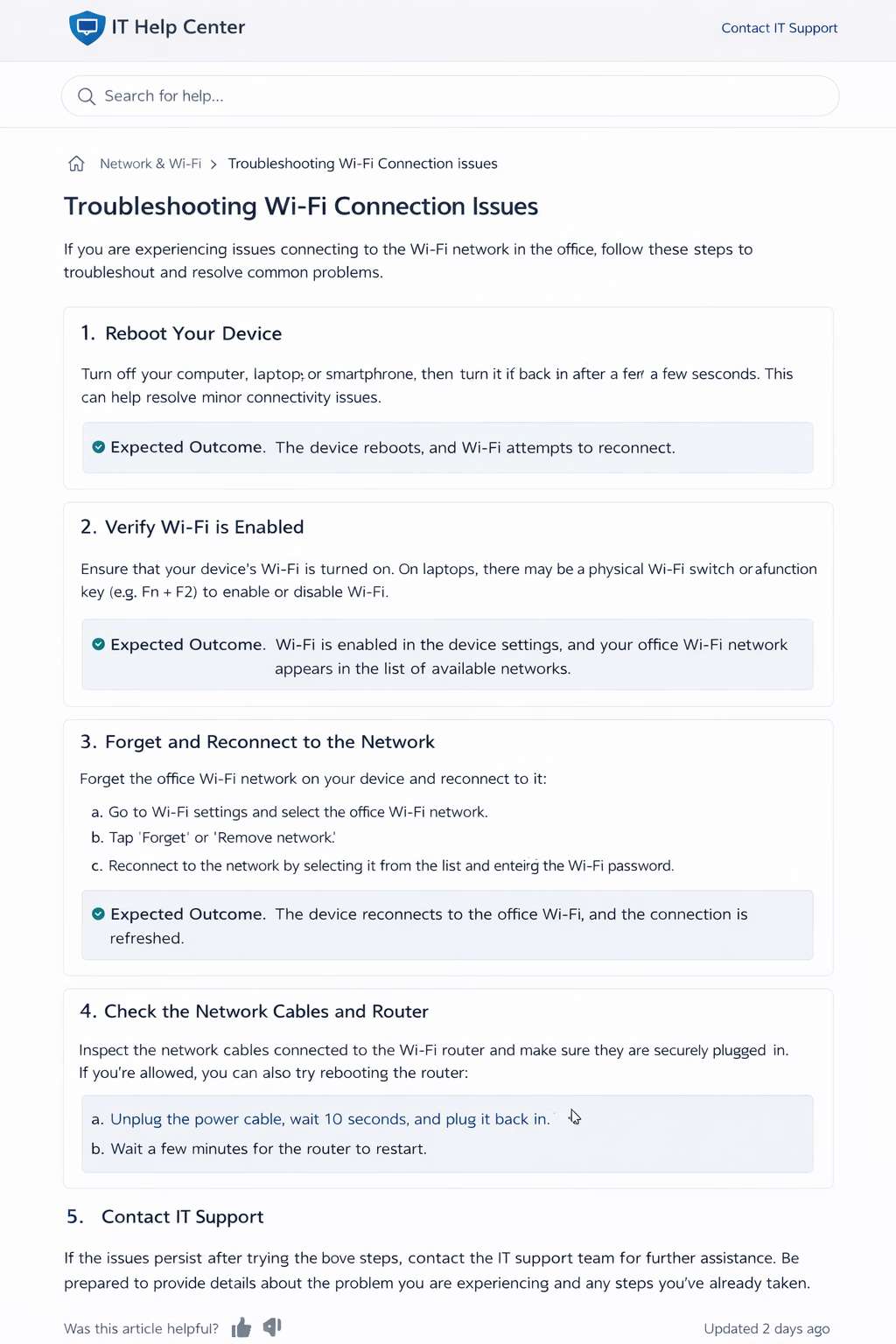
3. Standardize troubleshooting guides
Inconsistent answers lead to confusion and repeat tickets.
Standardized guides ensure:
- Everyone gets the same instructions
- IT responses are faster
- New team members ramp up quickly
Common IT support bottlenecks that slow teams down
Before you can scale, you need to understand what’s holding your team back.
1. Repetitive low-value tickets
These are the biggest drain on IT time. Password resets, access requests, and setup guides often make up a large portion of tickets.
2. Knowledge scattered across tools
When information lives in Slack, email threads, and random docs, it becomes impossible to scale.
3. Dependency on specific team members
When only one person knows how something works, they become a bottleneck.
Reducing IT tickets with self-service support
Self-service is the fastest way to scale support without adding headcount.
1. Make documentation easy to follow
If documentation is confusing, employees will ignore it.
Common mistakes:
- Too much technical jargon
- Missing steps
- No screenshots
- Long paragraphs
Better approach:
- Use plain language
- Keep steps short
- Add visuals
- Focus on one task per article
Add visuals to reduce confusion
People follow visuals faster than text.
Micro-case: Melissa C., a Head of Product shared that HelpSite made it easy for teams to create and share documentation quickly, even for non-technical users. This helped their team reduce reliance on repeated explanations by making answers more accessible.
2. Make documentation accessible where work happens
Even great documentation fails if people can’t find it.
Where HelpSite fits into IT support workflows
Creating documentation is one thing—making it usable is another.
HelpSite helps IT teams:
- Publish step-by-step guides quickly
- Organize content into a clean, searchable structure
- Update articles instantly without engineering support
- Keep documentation consistent across teams
If you want to turn repetitive IT tickets into self-serve answers, try building your internal knowledge base with HelpSite’s free trial.
Reviewing and improving your IT documentation
Documentation is not “set it and forget it.” It needs to evolve as systems change.
1. Track what people are still asking
Your ticket queue is your best feedback loop.
2. Test documentation with real users
If employees still ask questions after reading a guide, something is unclear.
3. Keep documentation up to date
Outdated docs break trust quickly.
For deeper guidance on structuring effective help content, explore HelpSite’s documentation best-practice articles in the resource library (internal link).
Measuring success without adding complexity
You don’t need complex dashboards to know if this is working.
Look for:
- Fewer repetitive IT tickets (trend-based; no stat)
- Faster resolution times
- Less time spent answering basic questions
- Positive employee feedback
Final checklist for scaling IT support
- Are repeated questions turned into documentation?
- Can employees find answers without asking IT?
- Are guides simple, visual, and task-focused?
- Is documentation updated regularly?
When you focus on clarity, structure, and accessibility, how IT teams scale support without hiring more staff becomes less about adding people—and more about building systems that help people help themselves.