

Patients rarely remember everything they hear during discharge. A nurse explains medication timing, wound care, and follow-up steps—but by the time the patient gets home, the details blur together. The result? Phone calls, confusion, and sometimes avoidable readmissions.
That’s why many healthcare teams are rethinking how hospitals share care instructions with patients. Instead of relying only on paper handouts or rushed verbal explanations, they’re using digital self-service resources patients can revisit anytime.
In this guide, we’ll look at practical ways hospitals organize, publish, and distribute care instructions so patients can find answers quickly—without overwhelming clinical staff.
Why sharing care instructions clearly matters for hospitals
Healthcare teams already know that good communication improves outcomes. But the operational impact is just as important.
When patients can easily access instructions after leaving the hospital, several things improve:
- Fewer phone calls to nurses and front desk staff
- Better adherence to treatment plans
- Reduced confusion about medications or recovery steps
- Higher patient satisfaction scores
- Staff focus on check-ins and real conversations
- Policies stay consistent
Common problems hospitals face with patient instructions
Most hospitals already create care instructions. The problem is how they’re delivered and maintained.
Paper discharge packets are easy to lose
Patients often receive multiple pages of printed instructions when leaving a hospital. These documents can be misplaced or forgotten.
- Micro-case: A hospital outpatient unit noticed frequent calls about wound-care instructions—even though the information was included in discharge paperwork. Patients simply couldn’t find the document once they were home.
Instructions live in too many places
Hospitals may store guidance across several systems:
- EHR templates
- Internal PDFs
- Printed leaflets
- Email follow-ups
This makes it difficult to keep instructions consistent and up to date.
Staff repeat the same explanations daily
Nurses often answer identical questions repeatedly:
- “When can I shower again?”
- “How long should I take this medication?”
- “Who do I contact if symptoms worsen?”
Without a central reference, staff spend valuable time repeating the same guidance.
How hospitals share care instructions with patients today
Modern healthcare teams are shifting toward digital patient education hubs—essentially searchable libraries of care instructions.
These resources allow hospitals to provide consistent information while reducing repetitive support requests.
1. Centralized patient education libraries
Instead of scattered PDFs, hospitals create structured collections of instructions organized by:
- Procedure type
- Condition
- Department
- Recovery stage
Examples might include:
- Post-surgery recovery steps
- Medication instructions
- Preparing for diagnostic tests
- Managing chronic conditions at home
Patients can revisit these resources anytime.
2. Searchable help centers
Patients don’t want to scroll through long documents when they have a simple question.
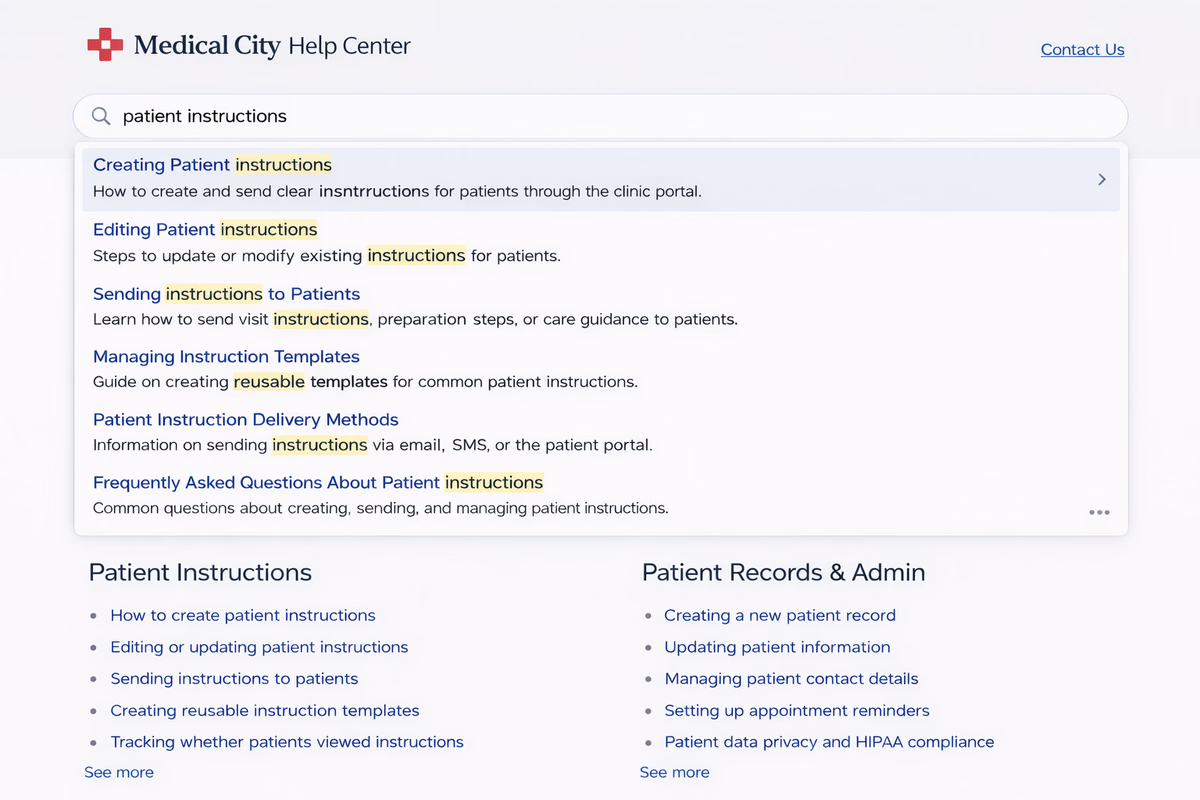
That’s why some hospitals use knowledge-base platforms with instant search, allowing patients to type questions and quickly find answers.
For example, a searchable help center can surface relevant instructions as soon as a patient begins typing. Fast search dramatically improves self-service adoption and reduces support requests.
3. Mobile-friendly instruction pages
Patients often check instructions on their phones while recovering at home.
Mobile-optimized documentation ensures:
- Text is easy to read
- Steps are clearly formatted
- Videos and images load properly
Responsive design is especially important because healthcare instructions are often referenced during real-world situations—like taking medication or changing a dressing.
What effective patient instructions look like
Clear instructions follow a simple structure.
Step-by-step formatting
Instead of long paragraphs, break instructions into short steps.
Example:
After knee surgery
- Keep the bandage dry for the first 48 hours.
- Elevate your leg when resting.
- Take prescribed pain medication as directed.
- Call your doctor if swelling worsens.
Patients are more likely to follow instructions when the next step is obvious.
Short explanations before details
Start with the most important takeaway.
Example:
TL;DR: Take antibiotics exactly as prescribed, even if symptoms improve.
Then add additional details below.
Visual aids and diagrams
Images help patients understand instructions faster.
Examples include:
- Bandage placement diagrams
- Physical therapy movement guides
- Medication timing charts
The HelpSite style guidelines recommend including visuals roughly every 500 words to improve comprehension and engagement.
Building a patient instruction knowledge base
Creating a structured system doesn’t require a complex hospital IT project. Many organizations start small and expand over time.
Step 1: Identify the most common patient questions
Start with your support data.
Look for:
- Repeated phone inquiries
- Common discharge questions
- Frequently requested clarification
Example categories might include:
- Post-operative care
- Medication guidance
- Appointment preparation
- Recovery timelines
Step 2: Turn existing documents into articles
Hospitals already have the content—they just need to organize it.
Convert materials such as:
- Discharge PDFs
- Care instruction handouts
- Internal clinical guides
into searchable online articles.
This makes them easier for patients and staff to find.
Step 3: Organize instructions by department
A clear structure helps patients navigate quickly.
Example categories:
Surgery
- Post-operative wound care
- Pain management guidance
- Activity restrictions
Cardiology
- Medication management
- Lifestyle recommendations
- Warning signs to monitor
Pediatrics
- Fever management
- Medication dosage instructions
- Follow-up appointment preparation
Step 4: Add search and easy navigation
Patients should be able to find answers within seconds.
Many hospitals choose lightweight knowledge-base platforms designed for fast article search and simple navigation.
Platforms like HelpSite allow teams to publish searchable documentation quickly—often within minutes—and update content without developer support.
If your team is exploring better ways to organize patient instructions, Start your free HelpSite trial to build a searchable care-instruction hub in minutes.
Training hospital staff to use the system
Technology alone isn’t enough—staff need to incorporate it into daily workflows.
Share links during discharge
Instead of handing out thick paperwork, staff can provide a single resource link.
Example: “You can find all your recovery instructions at this page. Just search for your procedure if you need a reminder.”
Use instructions during phone calls
When patients call with questions, staff can reference the same article.
Example workflow:
- Open the article.
- Walk through the steps with the patient.
- Send the article link for later reference.
This keeps communication consistent.
Update instructions after new questions appear
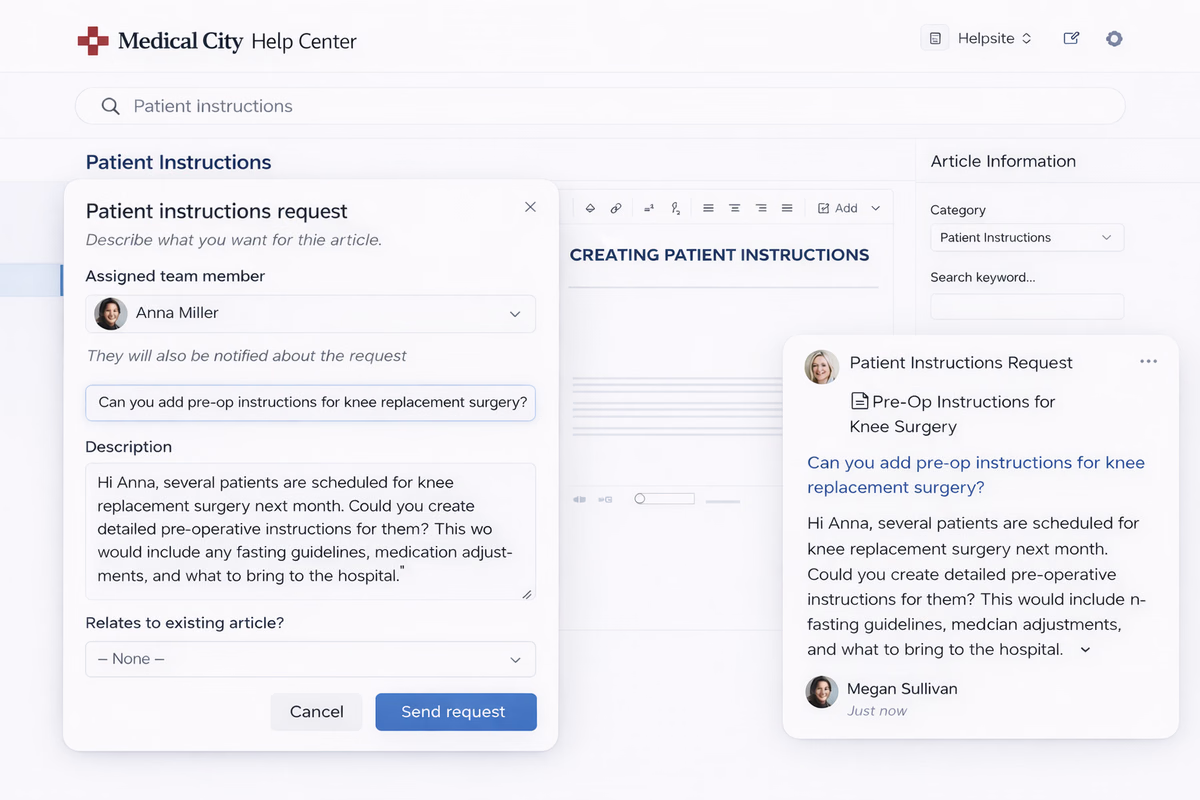
If a patient asks a question not covered in the article, add that answer.
Over time, your instruction library becomes more complete.
Security and privacy considerations
Hospitals must also protect patient data when sharing instructions.
Most care instructions don’t contain sensitive information, but hospitals should still consider:
- Access permissions for internal documentation
- Secure hosting for patient resources
- Compliance with healthcare privacy regulations
Many documentation platforms support public and private knowledge bases, allowing organizations to publish general patient education while keeping internal procedures restricted.
Measuring success
Hospitals should track a few key indicators after launching digital care instructions.
Examples include:
Reduced patient calls
Track call volume related to discharge questions.
Faster staff response times
When staff can link to instructions instead of explaining everything verbally, support becomes faster.
Higher patient satisfaction
Patients appreciate clear, easy-to-find guidance.
The future of patient education
Healthcare systems are gradually shifting toward digital-first patient communication.
Instead of static documents, hospitals are moving toward:
- Searchable instruction libraries
- Video-based recovery guidance
- Interactive patient education portals
These tools help patients feel more confident managing their recovery at home.
For hospital teams, the benefits are equally important: fewer repeated explanations, more consistent communication, and better use of staff time.
Conclusion
Clear instructions are essential for safe recovery, but traditional discharge methods often fall short. When hospitals rethink how hospitals share care instructions with patients, they can reduce confusion, improve adherence, and ease the workload on clinical teams.
By organizing instructions into searchable, patient-friendly resources, healthcare organizations give patients something they can return to whenever questions arise.