

Most IT documentation sites start with good intentions. Someone says, “We need a single place for this,” and a knowledge base is born. At first, it works. Fewer questions. Faster onboarding. Less tribal knowledge locked in people’s heads.
Then time passes.
New tools are added. Processes change. Teams grow. And the documentation site quietly drifts from “helpful” to “ignored.” People go back to Slack, email, or tickets—not because documentation doesn’t exist, but because it no longer works for them.
This article breaks down the most common problems with IT documentation sites, why they happen, and how teams can fix them before documentation becomes another abandoned system.
The real cost of broken IT documentation
Poor documentation doesn’t usually fail loudly. It fails quietly.
Instead of one big incident, you get dozens of small interruptions:
- Can you remind me how to request access?
- Is this guide still accurate?
- Where do I find the latest version of this?
Each question feels minor. Together, they slow teams down.
Documentation that isn’t trusted becomes invisible—and invisible documentation delivers zero value.
Problem 1: Documentation goes stale almost immediately
IT environments change constantly. Tools get replaced. Permissions shift. Security policies tighten. Documentation rarely keeps pace.
Why this happens
- Articles are written once and never reviewed
- No clear owner after publication
- Updates live in emails, tickets, or meetings, not in the docs
This is easier to maintain when your documentation tool supports built-in version tracking.
In HelpSite, every article keeps a version history, showing when changes were made and allowing teams to update content without losing context. That makes regular reviews practical instead of manual or forgotten.
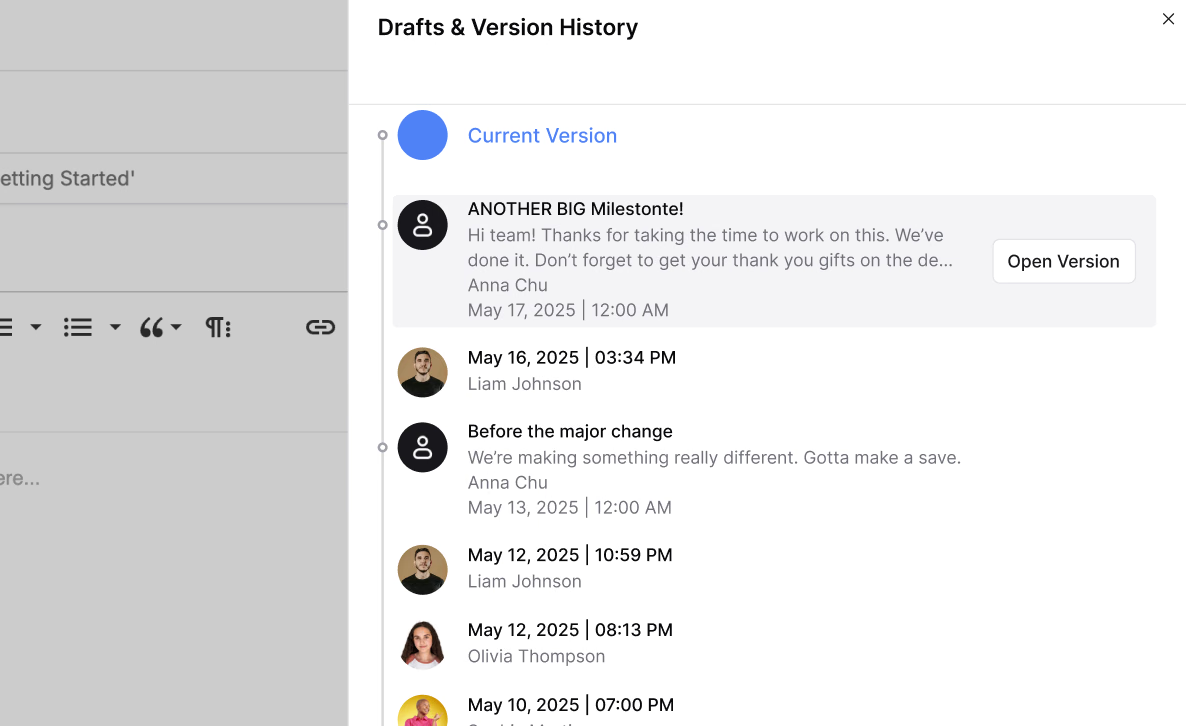
When readers see a recent review date—and know changes are tracked—they’re far more likely to trust the instructions and follow them without double-checking in Slack.
Problem 2: Articles are written like internal notes, not guides
Many IT documentation articles start as internal setup notes. They’re useful for the person who wrote them—but confusing for everyone else.
Common symptoms
- Long paragraphs instead of steps
- Multiple actions buried in one sentence
- Missing prerequisites or outcomes
Readers don’t know where to start or when they’re finished.
Clear structure matters more than perfect wording.
Problem 3: Inconsistent structure across the documentation site
One article is neatly formatted. Another is a wall of text. A third mixes bullets, screenshots, and notes with no clear flow.
Why inconsistency hurts
Readers can’t scan. They can’t predict where information lives. They lose confidence quickly.
When documentation feels inconsistent, users assume accuracy is inconsistent too.
- Short intro explaining the task
- Prerequisites
- Step-by-step instructions
- Common issues or troubleshooting
- Related links
This makes every article feel familiar, even if the topic is new.
Problem 4: Search exists, but answers are hard to find
Many IT teams assume the problem is search. In reality, search often works just fine.
The real problem is what happens after someone clicks.
What usually goes wrong
- Articles start with long background explanations
- The actual answer is buried halfway down
- Users give up before they reach it
Micro Case: Arthur D., an IT services owner, said his clients preferred HelpSite’s FAQ-driven form because it matched how they naturally asked questions. It spared him from answering the same query “again and again”.
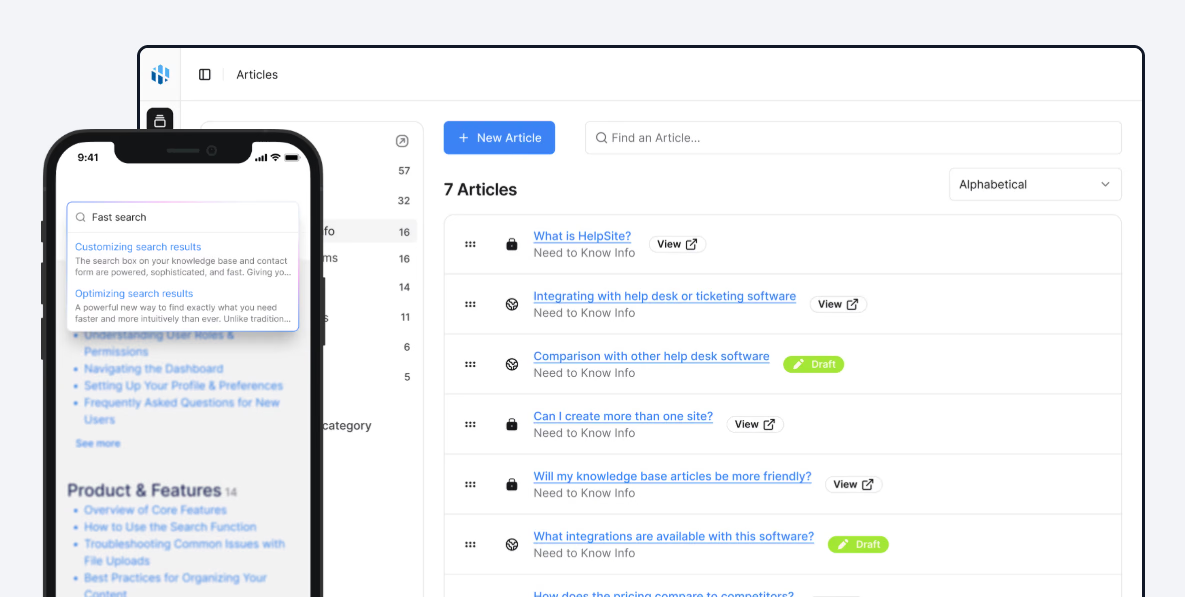
If someone has to scroll to confirm they’re in the right place, you’ve already lost them.
Start your free HelpSite trialand make answers easier to find.
Problem 5: Documentation ownership is unclear
When everyone can edit documentation, no one really owns it. When no one owns it, quality erodes.
What unclear ownership looks like
- Conflicting instructions across articles
- Changes made without context
- No accountability when something is wrong
This creates silent risk, especially in IT environments where accuracy matters.
Clear ownership also makes reviews and updates far easier to manage.
Problem 6: Documentation grows, but organization doesn’t
As IT teams add more content, structure often doesn’t evolve with it.
Common warning signs
- Categories with dozens of unrelated articles
- Duplicate guides for similar tasks
- Articles that belong in multiple places
Eventually, users stop browsing and rely entirely on search—which fails if titles and structure aren’t clear.
Problem 7: Documentation isn’t written for scanning
Most people don’t read documentation. They scan it.
When articles aren’t designed for scanning, readers miss key details.
Scanning killers
- Long paragraphs
- No subheadings
- Dense blocks of text
Good formatting is not cosmetic—it’s functional.
Problem 8: Internal and external docs are mixed without intent
Many IT documentation sites try to serve everyone at once:
- Internal staff
- New hires
- Customers
- Partners
Without clear separation, articles become vague and overly cautious.
Why this causes problems
- Internal readers want direct instructions.
- External readers need more context.
- Trying to satisfy both usually satisfies neither.
Multi-site or permission-based setups make this far easier to manage cleanly.
A practical framework to fix an IT documentation site
You don’t need to rewrite everything. Start with what matters most.
- Identify your ten most-used articles
- Add “Last reviewed” dates
- Rewrite them as task-based guides
- Move answers to the top
- Standardize structure
These changes alone often deliver immediate improvements in trust and usage.
Why IT documentation matters more as teams scale
As organizations grow, documentation becomes infrastructure. It supports onboarding, security, compliance, and productivity.
When documentation works:
- Fewer interruptions
- Faster onboarding
- More consistent processes
When it doesn’t, the cost shows up everywhere—just quietly.
The best IT documentation sites aren’t the most complex. They’re the ones people actually use.