

When patients don’t know where to go, everyone feels it
A patient calls a hospital, listens to a long phone tree, presses what sounds right—and still ends up transferred. Or worse, they hang up and try again later. Multiply that by dozens or hundreds of patients a day, and the cost shows up fast: longer wait times, burned-out staff, and a poor patient experience.
This is exactly where a patient knowledge base helps. Instead of guessing which department to contact, patients can quickly find the right answers—and the right team—on their own, before picking up the phone.
This article breaks down how a simple, well-structured knowledge base helps patients reach the right department faster, reduces unnecessary calls, and makes life easier for healthcare teams.
The real problem: misrouted patient inquiries
Healthcare organizations don’t struggle because patients ask questions—they struggle because those questions land in the wrong place.
What typically goes wrong
- Patients don’t know whether to contact billing, scheduling, or clinical support
- Phone menus are long, generic, or unclear
- Front-desk and call-center staff spend time transferring calls instead of helping
- The same “Where do I go for this?” questions repeat all day
Micro-case (common pattern): A clinic noticed that most incoming calls weren’t complex medical issues. They were questions like “Who do I call to reschedule?” or “Is this covered by insurance?” Each call bounced at least once before reaching the right department—adding frustration for patients and staff alike.
What a patient knowledge base actually does
A patient knowledge base is a public, searchable hub of answers designed specifically for non-technical readers. Think of it as a digital front desk that’s always open.
Core jobs it performs
- Explains which department handles which issues
- Answers common questions in plain language
- Routes patients to the correct next step (call, form, portal, or email)
- Reduces guesswork before patients reach out
Unlike PDFs or static FAQ pages, a healthcare knowledge base is built for fast scanning and search.
Why search matters more than navigation
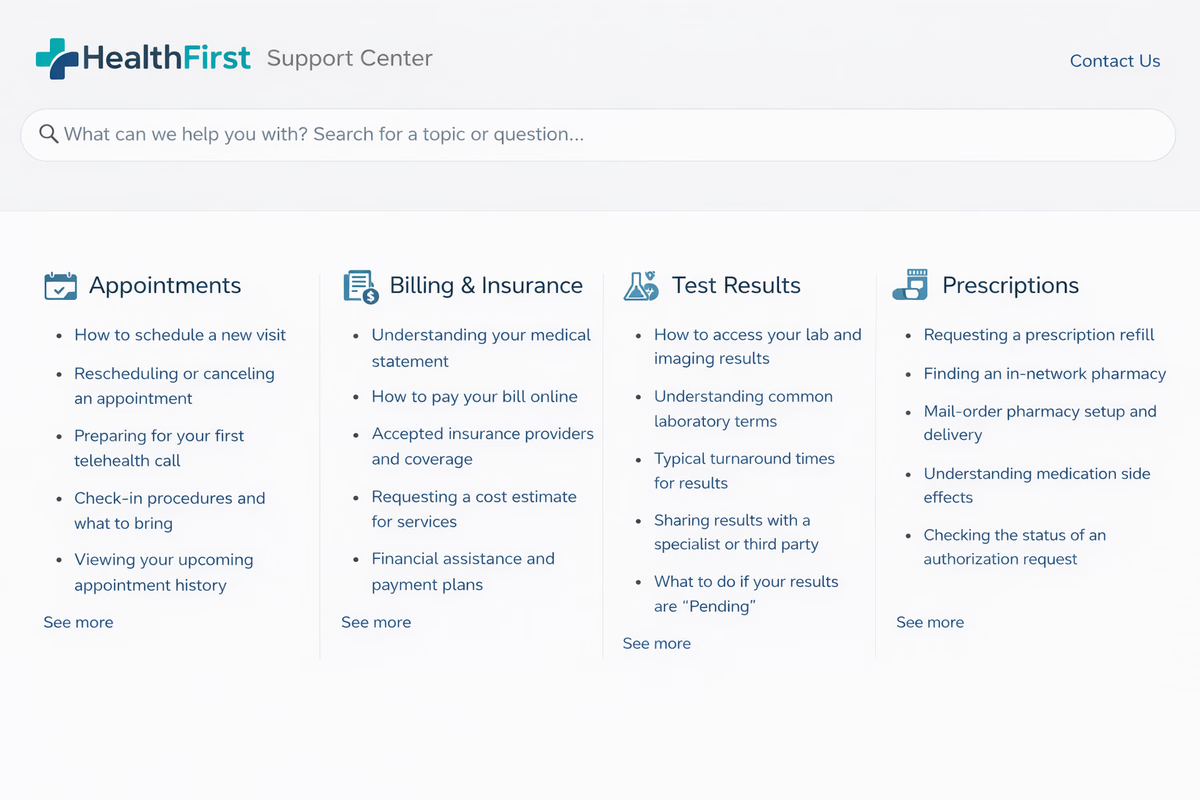
Most patients won’t browse categories. They’ll type a few words and expect an answer.
That’s why search quality matters more than perfect menus. If you are ready to simplify patient routing, start your free HelpSite trial now.
How fast search improves routing
A relevance-ranked, search-as-you-type experience surfaces answers instantly—even if patients don’t use the “right” terminology.
For example:
- Patient types: missed appointment
- Knowledge base returns: How to reschedule an appointment (Scheduling department)
Instead of calling the main line, the patient now knows exactly where to go.
Micro-case: A healthcare team noticed patients were clicking the right article from search but still calling. The issue? The answer didn’t appear until halfway down the page. Once they moved the direct answer to the first three lines, follow-up calls dropped noticeably (qualitative outcome).
Common patient questions that should never hit the main line
Not every question deserves a phone call—but patients often don’t know that.
High-volume questions to document first
- “Who do I call to change my appointment?”
- “Is this covered by my insurance?”
- “How do I get a copy of my records?”
- “Where do I send billing questions?”
- “What’s the difference between urgent care and emergency?”
Each of these questions should have a single, clear article that answers two things:
- What to do?
- Which department owns it?
Actionable tip: Title articles by intent, not policy names. “Billing questions” beats “Revenue cycle management overview” every time.
Structuring a healthcare knowledge base for clarity
Healthcare content fails when it mirrors internal org charts. Patients don’t think in departments—they think in problems.
What works better than department-based navigation
Instead of:
- Finance department
- Clinical operations
Use:
- Billing & insurance
- Appointments & scheduling
- Test results & records
Inside each article, clearly label ownership.
Example: This request is handled by the Billing Department. For faster help, contact billing directly at…
How this reduces call volume without hurting patient experience
There’s a fear in healthcare that self-service feels cold. In practice, the opposite is true—when it’s done well.
Why patients prefer self-service for simple issues
- It’s available outside business hours
- There’s no hold music
- Answers are immediate
- They avoid being transferred multiple times
- According to a survey of 1,000 healthcare consumers, 80% of patients want self-service online appointment scheduling, and 61% say having online scheduling is extremely or very important when choosing how to access care, indicating strong patient preference for digital tools that help them navigate healthcare services.
The internal payoff for healthcare teams
A patient knowledge base doesn’t just help patients—it protects staff time.
Operational benefits teams notice first
- Fewer misrouted calls
- Less interruption for clinical staff
- Shorter call handling times
- More consistent answers across departments
Front-desk and call-center staff benefit most because they can confidently point patients to one link instead of explaining processes repeatedly.
Keeping content accurate without creating extra work
Outdated healthcare information is worse than no information at all.
Simple ways to keep articles trustworthy
- Assign a content owner per category (not per article)
- Add a visible Last updated date
- Update articles after policy or process changes - not annually
Micro-case: A team added “Last reviewed: January 2026” to patient-facing articles. Patients reported higher trust, and staff felt more confident sharing links during calls.
Why lightweight tools work best in healthcare settings
Healthcare teams don’t need bloated systems. They need clarity, speed, and control.
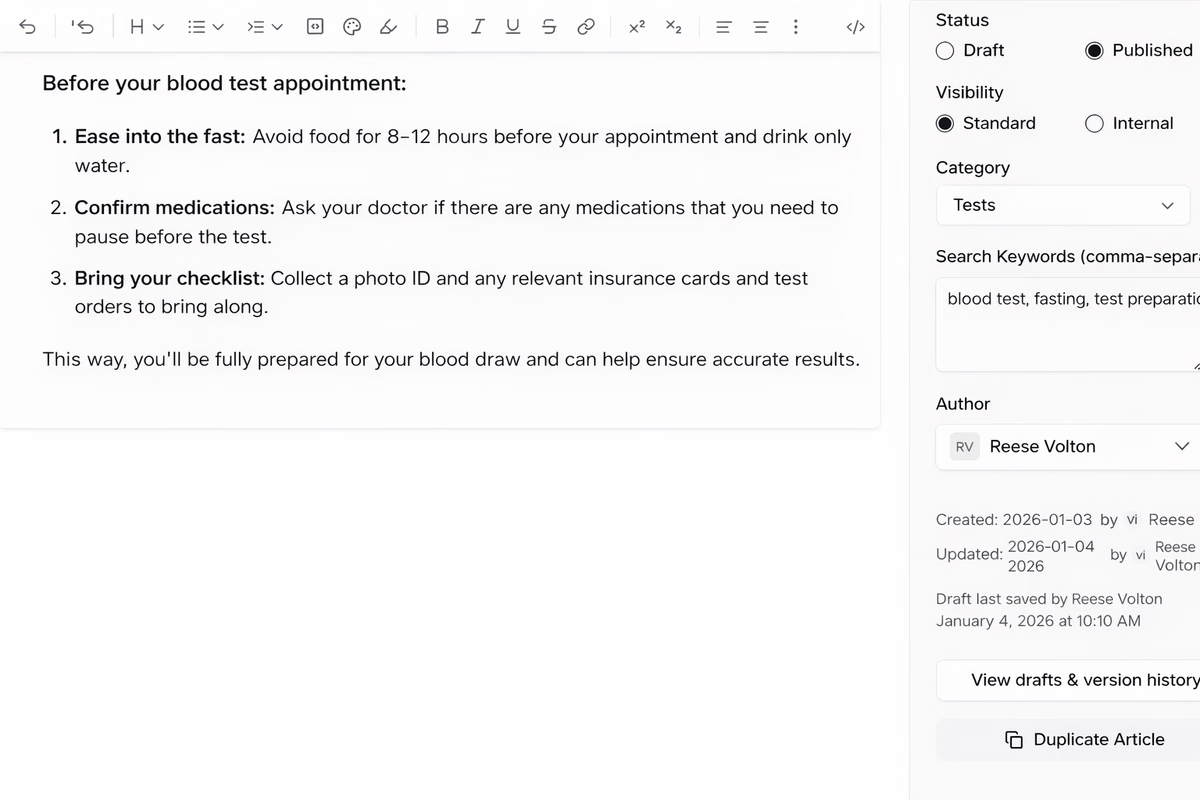
A lean platform makes it easy to:
- Publish clear articles quickly
- Improve search results without technical setup
- Manage multiple categories or sites for clinics or locations
- Focus on patient understanding, not software complexity
Getting started without overhauling everything
You don’t need to document everything on day one.
A practical starting point
- List the top ten misrouted patient questions
- Write one short article per question
- Put the answer and department in the first three lines
- Make it searchable and public
- Share the link everywhere patients already look
This alone can meaningfully reduce call friction.
A patient knowledge base is about direction, not deflection
The goal isn’t to block patients from contacting you. It’s to help them reach the right place faster.
When patients know where to go:
- They feel more confident
- Staff feel less overwhelmed
- The entire system runs smoother
A well-designed patient knowledge base acts like clear signage in a busy hospital—quietly guiding people without adding friction.