

New support hires are expected to learn your product, tools, tone, and edge cases fast—often while live tickets keep piling up. When onboarding relies on scattered Google Docs, Slack threads, and tribal knowledge, ramp time stretches, mistakes creep in, and senior agents get interrupted nonstop. The fix isn’t more meetings—it’s better documentation.
In this guide, we’ll show how documentation improves new-hire onboarding for support teams, why it matters at scale, and how AI writing prompts for SaaS content help you build onboarding docs faster—without adding headcount or sacrificing quality.
Why onboarding breaks down in modern support teams
Most support leaders don’t choose broken onboarding—it happens naturally as teams grow.
The three most common failure points
- Information sprawl - SOPs live in Google Docs, macros live in your help desk, and “important updates” live in Slack. New hires don’t know where to look—or which version is right.
- Context gaps - A new agent may know what button to click, but not why a policy exists. That leads to brittle decision-making when edge cases show up.
- Inconsistent coaching - Shadowing different teammates produces different answers. New hires copy habits—good and bad.
How documentation improves new-hire onboarding for support teams
Strong documentation turns onboarding from a memory test into a self-serve system. Here’s how it works in practice.
One source of truth beats ten partial ones
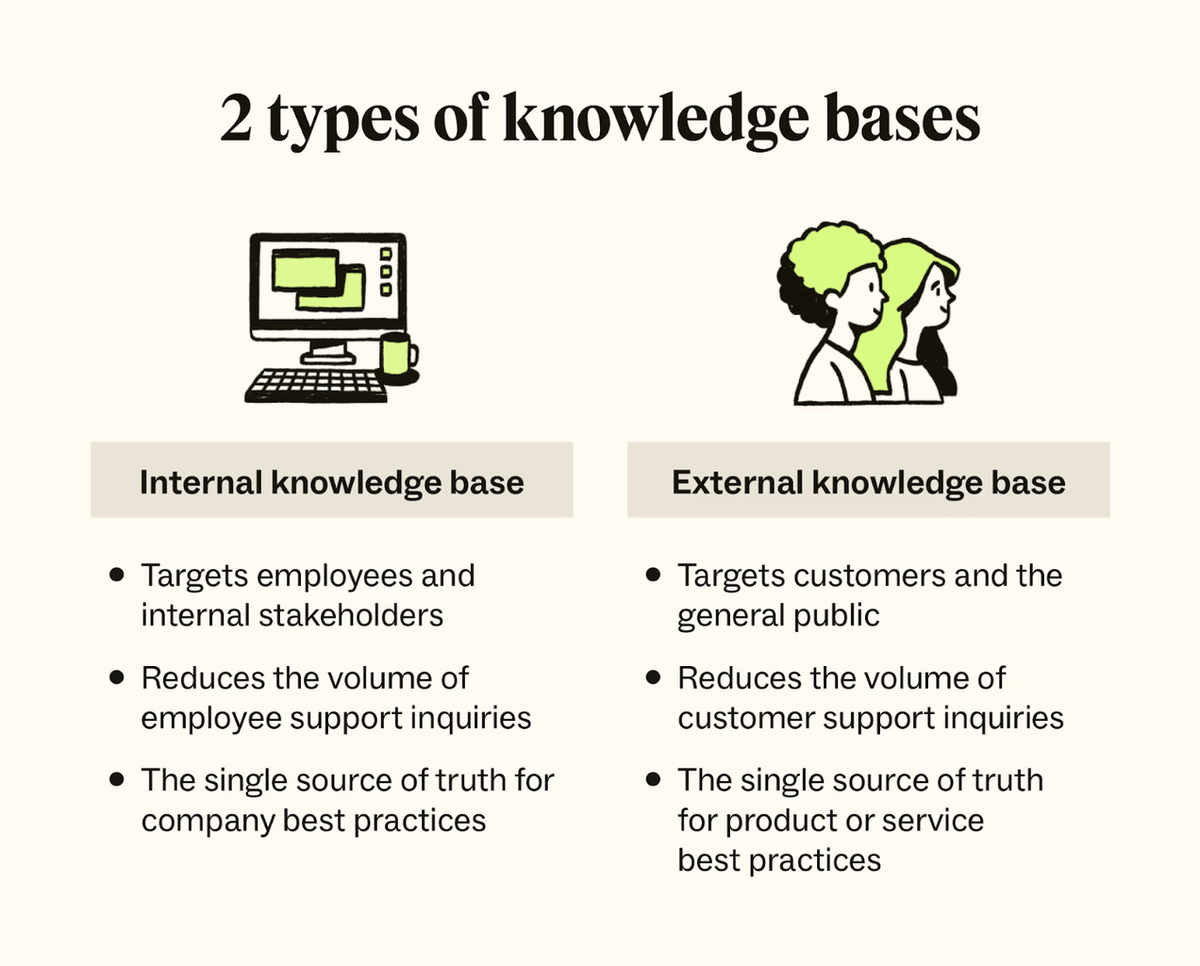
When new hires have a single internal knowledge base to rely on, they stop guessing where answers live.
Micro-case: Teams that consolidate onboarding docs into one searchable hub consistently report fewer “where do I find this?” questions in the first two weeks: quantify with internal data .
Faster time-to-first-ticket
Clear documentation shortens the time between “new hire starts” and “new hire confidently handles tickets.”
- Tool walkthroughs reduce hesitation.
- Example replies reduce drafting anxiety.
- Decision trees reduce escalation delays.
Stat to validate: Faster time-to-first-ticket is a common outcome of structured onboarding docs.
How documentation improves new-hire onboarding for support teams by building confidence
Confidence matters as much as competence in support roles.
New hires need examples, not just rules
Policies without examples force guesswork. Documentation with examples builds confidence fast.
- “Here’s how we answer billing questions.”
- “Here’s when we bend the rule—and when we don’t.”
- “Here’s a great reply, and why it works.”
AI copywriting examples are especially useful here: you can store polished responses once and reuse them across the team.
Consistency across shifts and regions
Documentation standardizes answers across time zones and experience levels.
- New hires learn the company voice, not just personal style.
- Customers get predictable, trustworthy responses.
- QA reviews become easier because standards are documented.
How documentation improves new-hire onboarding for support teams by protecting senior agents
Every onboarding question asked in Slack is a hidden cost.
Want to turn onboarding questions into searchable answers faster? Start your HelpSite trial now.
Interruptions scale faster than headcount
Senior agents lose focus when onboarding relies on constant tapping for help.
- Five interruptions per hour across three seniors equals a full lost workday.
- Documentation turns repeat questions into self-serve answers.
Micro-case: Harry P. shared, “We launched a public help center in under an hour—customers find answers before emailing.” The same principle applies internally: answers found = interruptions avoided.
Documentation compounds over time
Unlike live coaching, documentation gets better every time you update it.
- One clarified article helps every future hire.
- One improved example reduces dozens of questions.
- One search improvement saves hours per month.
This compounding effect is why onboarding docs are a force multiplier—not busywork.
Turning questions into content automatically
Every onboarding question is a documentation opportunity.
- AI content workflows: Tag common new-hire questions.
- Batch-generate draft articles weekly.
- Review and publish the best ones.
This approach supports content automation without sacrificing quality or trust.
What great onboarding documentation actually includes
Use this checklist to audit your current setup.
Core onboarding sections
- Welcome + “how to use this knowledge base”
- Product overview (from a support perspective)
- Tool walkthroughs (tickets, chat, CRM)
- Common questions by category
- Escalation paths with examples
Quality signals to watch
- Articles are short and scannable
- Search returns relevant results fast
- Examples reflect real tickets
- Updates are dated and owned
Why platform simplicity matters for onboarding success
Even great documentation fails if the platform is hard to use.
New hires shouldn’t have to learn the tool first
Complex documentation tools add cognitive load at the worst possible time.
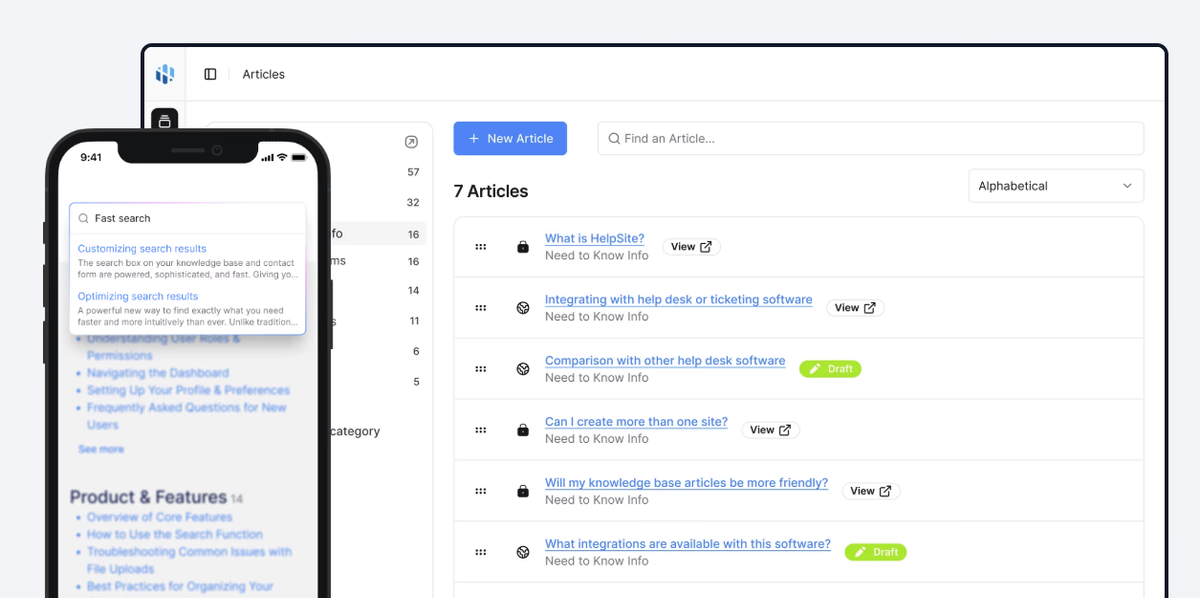
HelpSite’s clean UX, lightning-fast search, and minimal setup help new hires focus on learning—not navigating software
Easy publishing keeps docs fresh
Outdated docs are worse than no docs.
When updating an article takes minutes—not approvals, formatting battles, or dev time—teams actually keep documentation current. That freshness is critical for onboarding accuracy.
How content and support leaders can start this week
You don’t need a six-month project to fix onboarding.
A simple seven-day plan
- Day one: List the top ten onboarding questions.
- Day two: Find where answers should live.
- Day three: Draft five articles (AI-assisted).
Repeat weekly. Improvement compounds fast.
Bringing it all together
Documentation improves new-hire onboarding for support teams by shortening ramp time, building confidence, and protecting senior agents’ focus. When paired with AI writing prompts for SaaS content, documentation becomes faster to create, easier to maintain, and more scalable—without ballooning costs or headcount.
Strong onboarding isn’t about training harder. It’s about documenting smarter.