

If you run an agency, you’ve probably answered the same client question three times this week. “Where’s the onboarding doc?” “Can you resend the reporting guide?” “Which version is the latest?”
Your Slack threads are messy. Google Drive is a maze. And your team wastes billable hours hunting for links.
Learning how agencies centralize client resources in one portal isn’t just about tidiness. It’s about scale. A single, branded knowledge hub keeps clients informed, reduces repeat questions, and protects your margins—without adding more meetings.
Let’s break down what this looks like in practice, and how to build it without heavy dev work.
Why agencies struggle with scattered client documentation
Most agencies don’t plan to create chaos. It just happens.
- Onboarding docs live in Notion.
- SOPs sit in Google Docs.
- Loom videos hide in random folders.
- FAQs are buried in old emails.
Over time, this patchwork slows everyone down.
Micro-case: the “lost link” problem
One marketing agency we spoke to managed five retainer clients. Each had their own Drive folder and onboarding doc. When a new client success manager joined, she spent two full days just figuring out where everything lived.
That’s two days of non-billable time—before she even spoke to a client.
Actionable tip
List every client-facing resource you’ve created in the past 12 months. If it takes more than five minutes to find each one, you don’t have a system—you have storage.
What it means to centralize client resources
Centralizing client resources means giving each client one clear destination:
- Onboarding guides
- FAQs
- Reporting instructions
- Process walkthroughs
- Change logs
- Contact forms
- FAQs are buried in old emails.
Instead of sending links across five tools, you send one: “Here’s your client portal.”
And when that portal is searchable, clients don’t even need to ask.
HelpSite’s core value proposition includes “lightning-fast, relevance-ranked search” and multi-site management from a single dashboard.
Why this reduces client friction
Research from Zendesk shows that many customers prefer self-service before contacting support. When clients can quickly search and find answers, they feel empowered—not ignored.
That’s how centralized documentation improves client satisfaction without adding headcount.
How agencies centralize client resources in one portal (step by step)
This is the practical part. Here’s how agencies centralize client resources in one portal without overbuilding.
1. Audit and group by client
Start by organizing content per client:
- Strategy docs
- Onboarding materials
- FAQs
- Deliverable explanations
- Billing and reporting info
- FAQs are buried in old emails.
Each client should have their own logical structure.
Actionable tip
Create a standard category structure you reuse for every client:
- Clean, fast search
- Getting started
- Ongoing work
- Reports and metrics
- FAQs
- Contact and support
- Billing and reporting info
Consistency reduces internal confusion.
2. Create a branded client portal
Clients should feel like this is their space—not a generic help center.
That means you can:
- Use a custom domain (e.g., help.clientname.com)
- Match brand colors
- Add logos
- Control privacy settings
Even on lower tiers, agencies value the quick launch and cost effectiveness.
Andrew M., an agency owner, described HelpSite as “probably the easiest way to set up a free knowledge base on the internet.”
Micro-case: seven sites, one admin
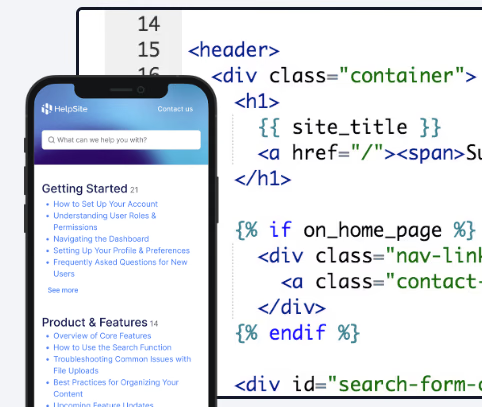
Bradley U., Chief Content Creator, shared on Capterra that he had created “7 HelpSites” and praised how intuitive it was to build and manage each one from a single system.
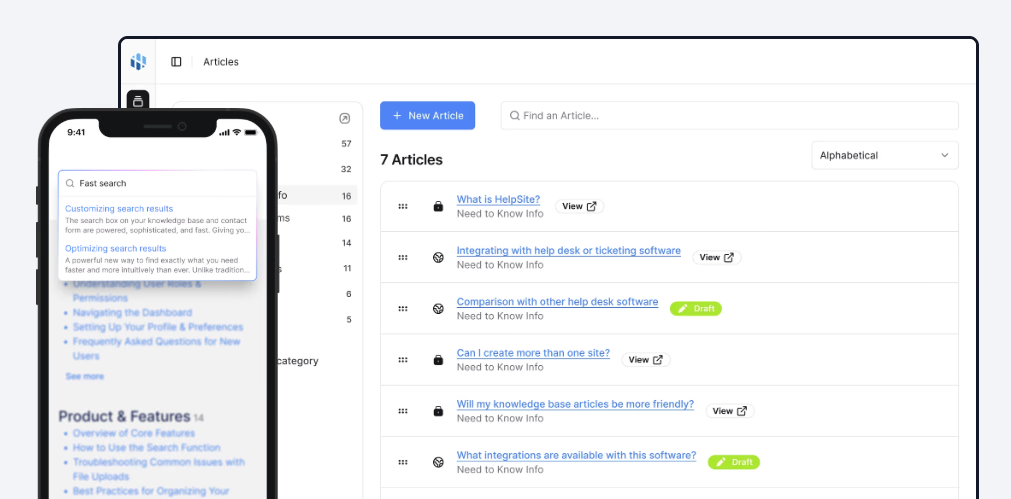
3. Use search as the front door
A portal is only useful if clients can find answers quickly.
When clients type:
- Monthly report explanation
- How do I submit a change request?
- What’s included in phase two?
They should get an answer instantly.
4. Separate public and private content
Agencies often need both:
- Public resources for prospects
- Private documentation for paying clients
HelpSite supports public or private knowledge bases.
This means you can:
- Share onboarding only with signed clients
- Lock sensitive strategy documents
- Keep prospect FAQs open
That structure prevents accidental oversharing while keeping everything centralized.
5. Add a smart contact form for edge cases
No portal answers everything.
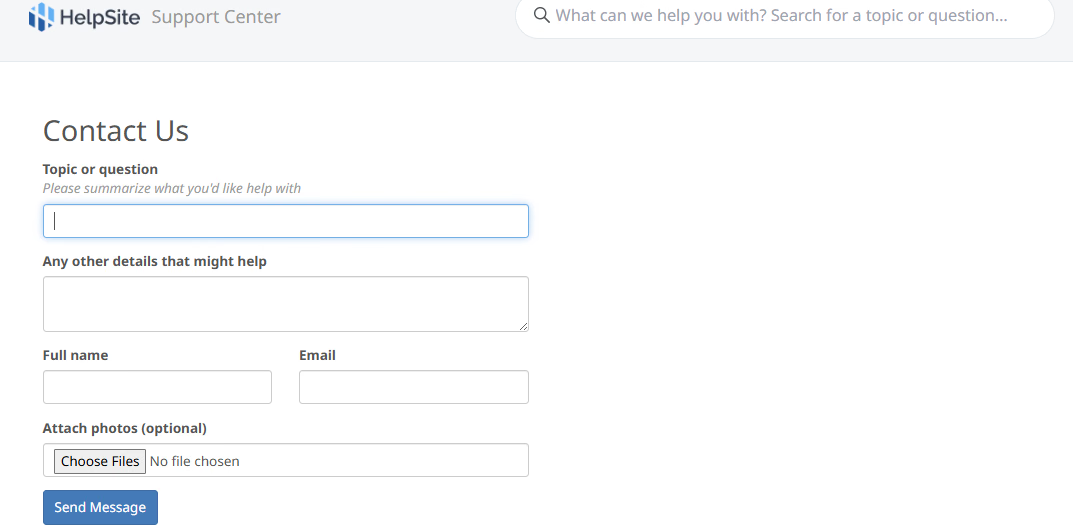
A centralized client portal should include a smart contact form that suggests related articles before a client submits a request.
HelpSite includes a smart contact form that captures unresolved questions while suggesting relevant content.
This does two things:
- Reduces repetitive questions
- Shows clients you’ve already thought about common issues
Micro-case: fewer repetitive emails
Arthur D., an owner who reviewed HelpSite on Capterra, shared that the built-in FAQ search within the contact form directs clients to relevant articles before they submit a request—saving him from answering the same questions repeatedly.
The ROI of a centralized client portal
Let’s talk numbers—not guesses.
Lisa J., Head of Training, reported reducing support cases by roughly 30% in the first year after launching their knowledge base.
While every agency is different, the direction is clear:
- Fewer repetitive questions
- Faster onboarding
- Less Slack back-and-forth
- More billable time
Actionable tip
Track these three metrics after launching your portal:
- Number of repeat questions per client
- Time-to-onboard (in days)
- Hours spent answering FAQs per month
If those numbers drop, your portal is working.
Ready to centralize your client resources? Start your free HelpSite trial.
Common mistakes agencies make
Even with the right tool, execution matters.
Mistake 1: Overcomplicating structure
Keep categories shallow and clear. Some reviewers noted limitations in hierarchy—but for most agencies, simplicity is a feature, not a bug.
Too many nested layers confuse clients.
Mistake 2: Treating it like a dumping ground
A portal isn’t just a file archive.
Each article should:
- Solve one clear problem
- Use plain language
- Include screenshots or short videos
- Be updated regularly
Mistake 3: Not training clients to use it
During onboarding, say: “Before emailing us, check your portal. Most answers are already there.”
Make the portal part of your process—not an afterthought.
Why a lightweight platform often beats heavyweight suites
Large help desk platforms like Zendesk or Confluence offer robust features—but many agencies don’t need full ticketing, AI bots, and enterprise workflows.
From the product overview, HelpSite’s competitive edge includes:
- Live in under 30 minutes
- Multi-site management on paid tiers
- Flat, affordable pricing
- Be updated regularly
Agencies benefit from:
- No per-agent pricing surprises
- Fast setup
- Minimal admin overhead
When is the right time to centralize?
If you:
- Manage more than three retainer clients
- Repeat the same explanations weekly
- Onboard new team members frequently
- Spend hours answering “Where can I find…?”
You’re ready.
Centralization is less about scale and more about clarity.
Final checklist for launching your client portal
Before going live, confirm:
- Each client has their own branded space
- Core FAQs are published
- Search works clearly for common terms
- Sensitive docs are private
- A contact form is active
- Your team knows how to update content
And most importantly—send the link during onboarding.
Bringing it all together
Agencies grow when systems replace chaos.
Learning how agencies centralize client resources in one portal isn’t about adding another tool. It’s about removing friction—for your team and your clients.
With fast search, multi-site management, public and private options, and simple pricing, a lightweight knowledge base platform can become the backbone of your client communication strategy.
Centralize once. Answer once. Scale without repeating yourself.