

Too many IT and Ops teams waste hours answering the same internal questions on repeat. Whether it’s “Where’s the latest onboarding doc?” or “How do I reset our CRM access?”, the answers exist—just not in a place anyone can find. This case study shows how one SaaS company solved that problem with an internal knowledge base and slashed support tickets by 42% in just three months.
Why internal knowledge base software pays for itself
When teams grow, tribal knowledge doesn’t scale. Distributed teams, hybrid work, and employee turnover make it worse. That’s where an internal knowledge base comes in—centralizing SOPs, troubleshooting steps, and how-to guides in one searchable hub.
Micro-case: Lisa J., Head of Training
We use HelpSite as our Knowledge base for internal and external purposes and with our content we have effectively reduced our support cases – roughly by 30% in the first year.
Step 1: Map your top internal requests
The fastest way to ROI from an internal KB is to start with high-volume pain points. Don’t wait for perfect structure—start with the most common questions.
Quick-win topics to cover:
- How to set up internal tools (Slack, CRM, VPN)
- Employee onboarding checklists
- Support escalation paths
- App login/reset instructions
- Company holidays, benefits, travel policies
Step 2: Choose a tool your whole team can use
A knowledge base only works if everyone can contribute. That’s why HelpSite’s no-code setup and simple editor make it a favorite for lean teams.
Why this SaaS team picked HelpSite
Super easy to use, just like editing a document in any word processing program… HelpSite’s awesome UI allows us to quickly add or update policies—including graphics, tables, different fonts and colors.” — Danielle C., Director of Site Development
Features that helped them win:
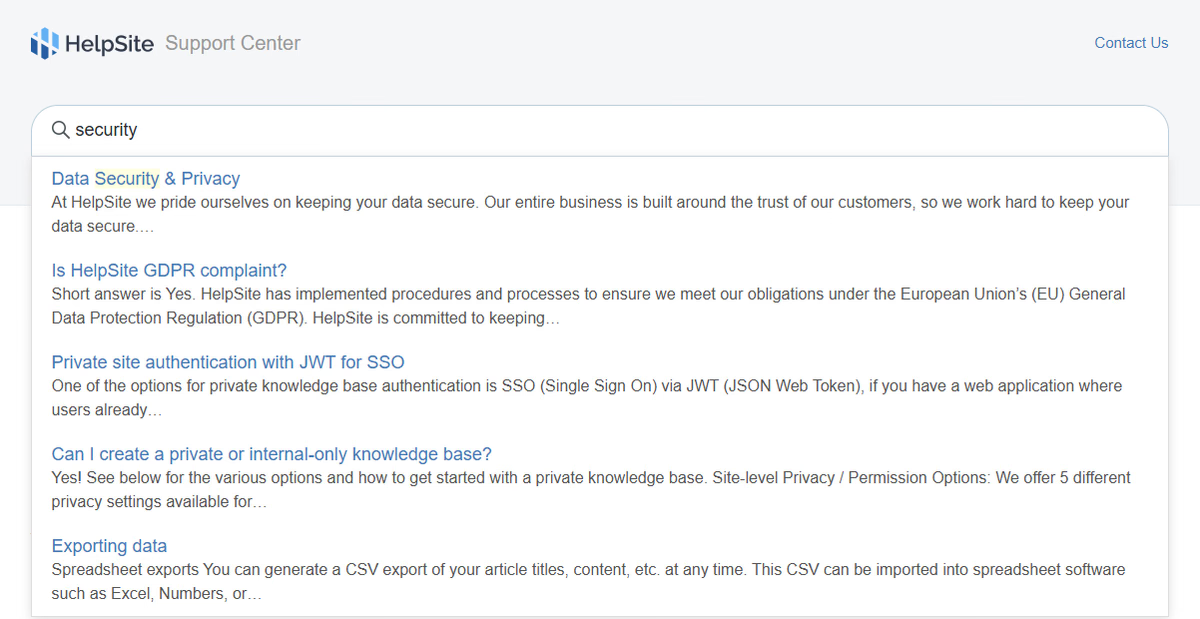
- Smart search: HelpSite’s “search-as-you-type” surfaced answers before the team finished typing.
- Private mode: Locked-down docs for staff-only access.
- Custom domains and branding: Gave internal tools a polished, on-brand feel.
Here’s a live look at HelpSite’s clean interface: as a user types “security,” the smart search instantly surfaces relevant internal articles—cutting back on repetitive questions.
Step 3: Organize just enough to scale
Don’t overthink the structure—start with broad categories and evolve as you grow.
Suggested layout:
- IT & Security
- HR & Onboarding
- Product & Engineering
- Customer Support
- Policies & Compliance
Step 4: Measure what matters (and improve fast)
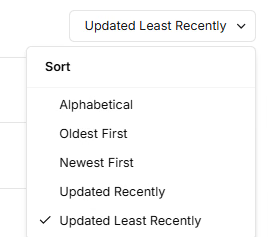
Once live, a good internal KB becomes self-optimizing. HelpSite will soon include real-time analytics for article views and ticket deflection (launching 2025 Q3). Until then, here’s how the featured SaaS team tracked success:
Simple KPIs to start with:
- Internal tickets by topic
- Top search queries (and their click-throughs)
- Articles added or updated weekly
- Time to onboard new employees
Their results? Ticket volume dropped 42% in three months. Internal surveys showed a 30% increase in employee satisfaction with onboarding and IT support.
The bottom-line impact of an internal knowledge base
For SaaS teams with growing headcount, a lightweight internal knowledge base isn’t a nice-to-have—it’s a force multiplier. This case study shows what’s possible with the right approach and the right tool.
This has helped boost productivity by 2× as agents can directly copy/paste instead of typing.
— Diptankar B., Manager, Customer Experience